
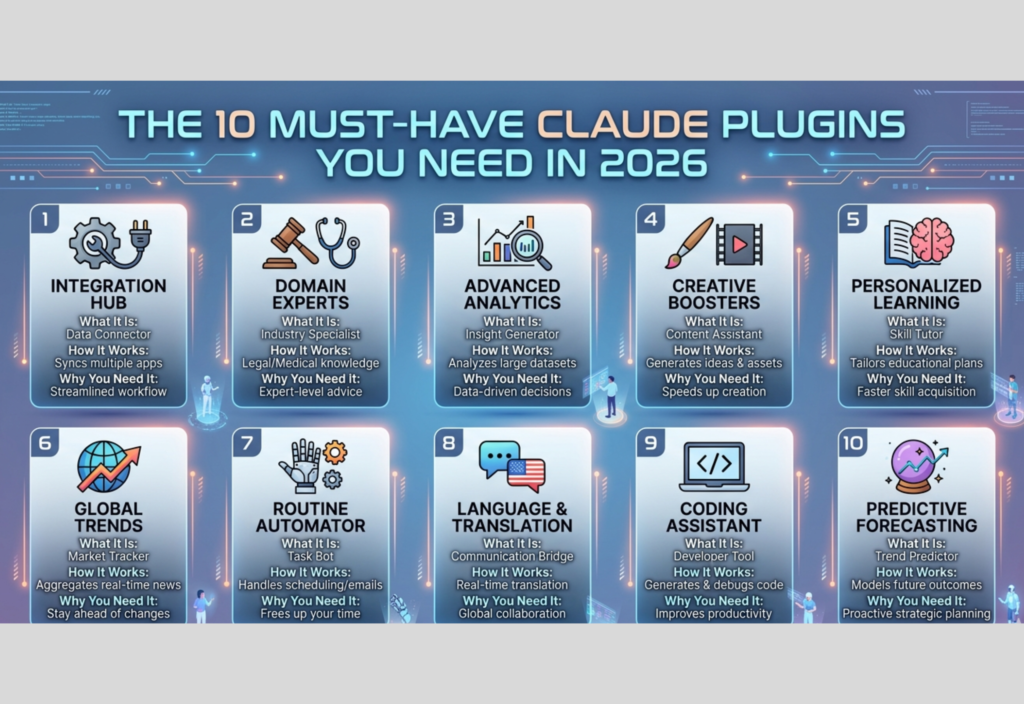
In 2026, AI tools are no longer just assistants that generate text—they have evolved into fully capable systems that can automate workflows, analyze data, integrate with external tools, and perform complex tasks. One of the key drivers behind this evolution is the growing ecosystem of plugins and integrations available for Claude, developed by Anthropic.
Claude plugins extend the functionality of the AI beyond its core capabilities, allowing users to connect APIs, run code, process files, and interact with real-time data. Whether you are a developer, content creator, business owner, or researcher, understanding these plugins can significantly improve your productivity and efficiency.
What Are Claude Plugins?
Claude plugins are extensions or integrations that enhance the capabilities of Claude by allowing it to interact with external systems, tools, and services.
Instead of relying only on its built-in knowledge, Claude plugins enable the AI to:
- Access real-time data
- Execute code
- Interact with databases
- Automate workflows
- Process files and images
- Connect with third-party APIs
In simple terms, plugins turn Claude from a conversational AI into a multi-functional AI system capable of handling real-world tasks.
How Claude Plugins Work
Claude plugins typically work through APIs and integrations. When a user makes a request, Claude determines whether a plugin is needed to fulfill the task. If required, it sends a request to the plugin, retrieves the response, and incorporates it into its final output.
Step-by-step process:
- User inputs a query
- Claude analyzes the request
- If needed, a plugin is triggered
- Plugin communicates with an external service
- Data is returned to Claude
- Claude processes and presents the result
This modular approach allows Claude to remain flexible and scalable while leveraging external capabilities.
Why Claude Plugins Are Important in 2026
Claude plugins have become essential for several reasons:
1. Real-Time Capabilities
Plugins allow Claude to access up-to-date information instead of relying only on static training data.
2. Automation
Repetitive tasks can be automated using workflows powered by plugins.
3. Productivity Boost
Users can accomplish complex tasks faster without switching between multiple tools.
4. Integration with Ecosystems
Plugins allow Claude to connect with CRMs, databases, APIs, and cloud services.
5. Scalability
Businesses can build AI-powered systems tailored to their specific needs.
Top Must-Have Claude Plugins in 2026
Below are the most essential plugins that can significantly enhance your Claude experience.
1. Web Search Plugin
Overview
The web search plugin allows Claude to fetch real-time data from the internet.
Key Features
- Access latest news
- Retrieve live statistics
- Perform research tasks
- Verify facts
Why It Matters
It ensures Claude provides updated and accurate responses, especially for time-sensitive queries.
2. Code Execution Plugin
Overview
This plugin enables Claude to execute code in a controlled environment.
Key Features
- Run programming scripts
- Debug code
- Perform calculations
- Generate visualizations
Why It Matters
Developers can test and refine code directly without needing external IDEs.
3. File Processing Plugin
Overview
This plugin allows Claude to read and analyze documents such as PDFs, spreadsheets, and text files.
Key Features
- Extract data from files
- Summarize documents
- Convert formats
- Analyze structured data
Why It Matters
It simplifies document-heavy workflows and reduces manual effort.
4. API Integration Plugin
Overview
This plugin connects Claude to external APIs and services.
Key Features
- Send and receive API requests
- Integrate with SaaS platforms
- Automate external workflows
- Fetch structured data
Why It Matters
It enables Claude to interact with real-world systems and applications.
5. Database Query Plugin
Overview
This plugin allows Claude to interact with databases using natural language.
Key Features
- Generate SQL queries
- Retrieve records
- Perform aggregations
- Analyze datasets
Why It Matters
It makes database access easier for non-technical users and speeds up analytics.
6. Workflow Automation Plugin
Overview
This plugin helps automate multi-step tasks and processes.
Key Features
- Task chaining
- Trigger-based actions
- Scheduled workflows
- Process automation
Why It Matters
It reduces manual workload and improves operational efficiency.
7. Document Summarization Plugin
Overview
This plugin specializes in summarizing long documents into concise insights.
Key Features
- Extract key points
- Generate summaries
- Highlight important sections
- Analyze long content
Why It Matters
It saves time and helps users quickly understand large volumes of information.
8. Image Analysis Plugin
Overview
This plugin allows Claude to interpret and analyze images.
Key Features
- Object detection
- Text extraction (OCR)
- Image classification
- Visual understanding
Why It Matters
It enables multimodal capabilities, combining text and visual data analysis.
9. Natural Language to SQL Plugin
Overview
This plugin converts natural language queries into SQL commands.
Key Features
- Query databases using plain English
- Generate SQL automatically
- Perform data filtering and joins
- Simplify analytics tasks
Why It Matters
It removes the need for advanced SQL knowledge, making data more accessible.
10. AI Agent Orchestration Plugin
Overview
This plugin enables coordination between multiple AI agents.
Key Features
- Multi-agent collaboration
- Task delegation
- Parallel processing
- Complex workflow handling
Why It Matters
It allows building advanced AI systems capable of handling large-scale operations.
Real-World Use Cases of Claude Plugins
Claude plugins can be applied across various industries and use cases:
1. Content Creation
- Blog writing
- SEO optimization
- Social media content generation
2. Software Development
- Code generation
- Debugging assistance
- API integration
3. Business Operations
- Workflow automation
- Customer support automation
- CRM integration
4. Data Analysis
- Database querying
- Report generation
- Business intelligence
5. Research & Education
- Summarizing research papers
- Extracting insights
- Assisting in learning
Benefits of Using Claude Plugins
Using plugins provides several advantages:
- Efficiency: Automates repetitive tasks
- Accuracy: Access to real-time and structured data
- Flexibility: Customizable integrations
- Scalability: Suitable for both individuals and enterprises
- Productivity: Saves time and effort
Challenges and Considerations
While Claude plugins are powerful, there are some challenges to consider:
Security
Plugins may require access to sensitive data, so proper permissions are important.
Complexity
Managing multiple plugins can increase system complexity.
Performance
Using several plugins may introduce latency.
Cost
Some integrations or APIs may involve additional costs.
Future of Claude Plugins
As AI continues to evolve, Claude plugins are expected to become even more advanced. Future developments may include:
- More autonomous AI agents
- Deeper integrations with enterprise systems
- Improved multimodal capabilities
- Enhanced automation frameworks
- Smarter orchestration of tasks
The ecosystem will likely expand, making Claude a central hub for AI-driven workflows.
Final Thoughts
Claude plugins in 2026 represent a major step forward in how AI is used in everyday workflows. By extending Claude’s core capabilities, plugins allow users to transform the AI into a powerful assistant capable of handling complex tasks across multiple domains.
Whether you are building applications, managing a business, or simply looking to improve productivity, mastering these plugins can give you a significant advantage. As the ecosystem continues to grow, those who adopt and understand these tools early will be best positioned to leverage the full potential of AI in the future.

