
What Is AI Automation?
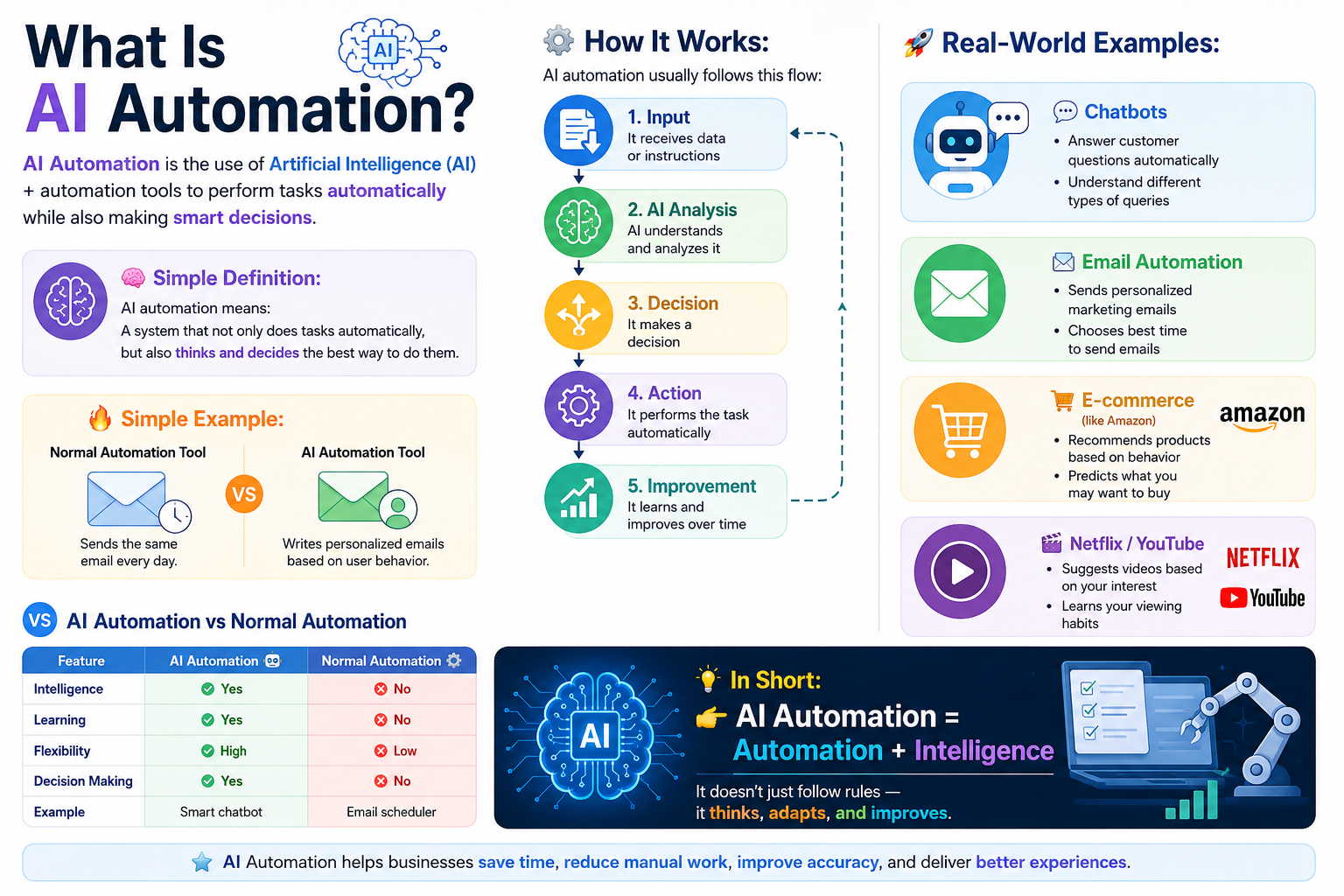
AI Automation is the use of Artificial Intelligence with automation systems to perform tasks automatically and make smart decisions without human help.
Simple Definition
AI Automation means a system that can:
Do tasks automatically
Understand data
Make decisions
Improve over time
How It Works
AI Automation follows this process:
Input → AI analyzes data → Makes decision → Performs action → Learns and improves
Example
A normal automation tool sends the same email to everyone
AI Automation sends personalized emails based on user behavior
Real-World Examples
Chatbots
Answer customer questions automatically
Understand different types of messages
Email Marketing
Sends personalized emails
Chooses best timing for users
Netflix / YouTube
Recommends videos based on interest
Learns viewing habits
E-commerce
Suggests products you may like
Predicts customer needs
AI Automation vs Normal Automation
Feature AI Automation Normal Automation
Intelligence Yes No
Learning Yes No
Decision Making Yes No
Flexibility High Low
In Short
AI Automation is automation powered by intelligence. It does not just follow rules, it understands, decides, and improves.
How AI Automation Works?
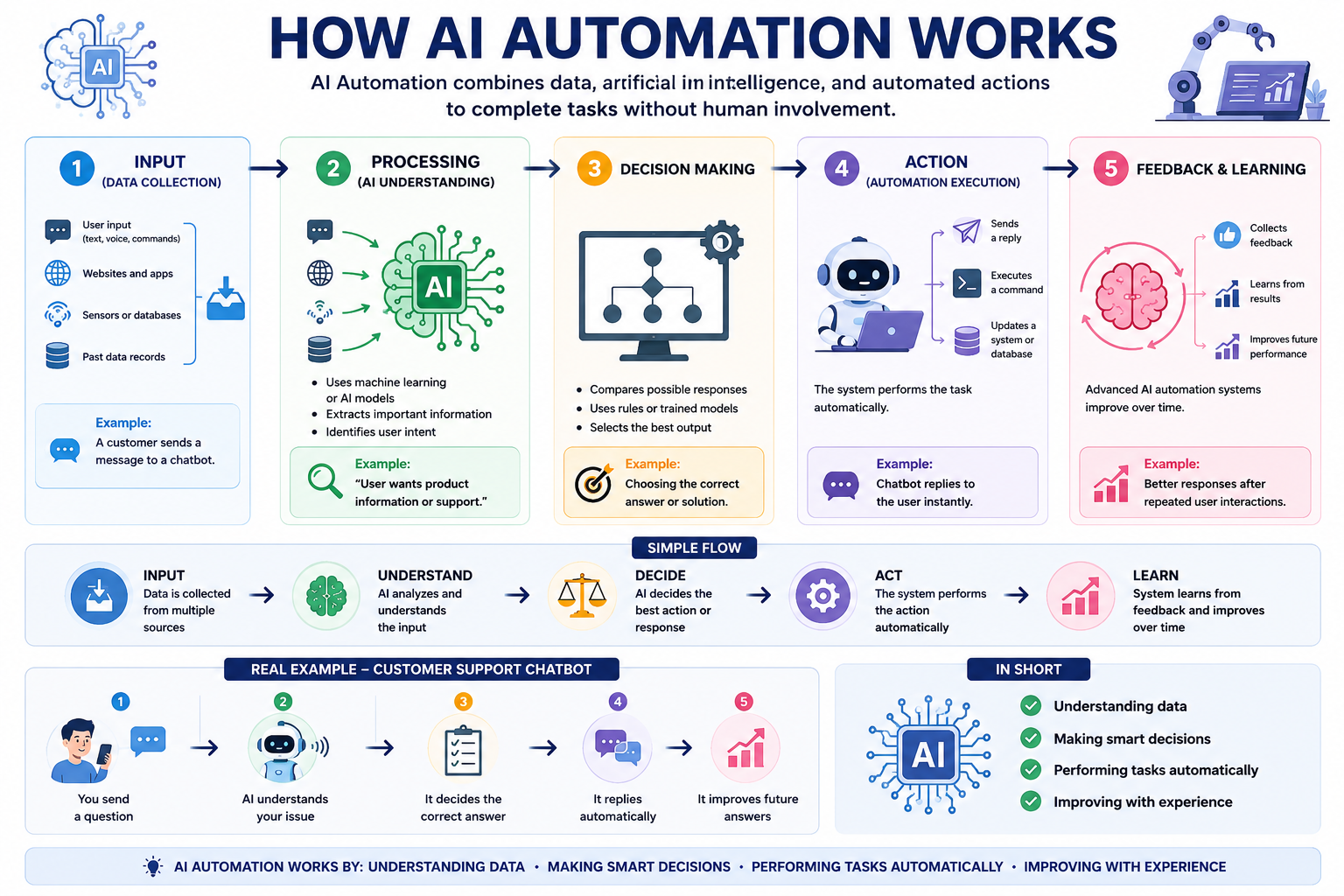
AI Automation works by combining data, artificial intelligence, and automated actions to complete tasks without human involvement.
1. Input (Data Collection)
The system first collects information from different sources:
User input (text, voice, commands)
Websites and apps
Sensors or databases
Past data records
Example: A customer sends a message to a chatbot.
2. Processing (AI Understanding)
The AI analyzes the input to understand what it means.
Uses machine learning or AI models
Extracts important information
Identifies user intent
Example: “User wants product information or support.”
3. Decision Making
The AI decides what action should be taken.
Compares possible responses
Uses rules or trained models
Selects the best output
Example: Choosing the correct answer or solution.
4. Action (Automation Execution)
The system performs the task automatically.
Sends a reply
Executes a command
Updates a system or database
Example: Chatbot replies to the user instantly.
5. Feedback & Learning
Advanced AI automation systems improve over time.
Collects feedback
Learns from results
Improves future performance
Example: Better responses after repeated user interactions.
Simple Flow
Input → Understand → Decide → Act → Learn
Real Example
If you ask a customer support chatbot:
You send a question
AI understands your issue
It decides the correct answer
It replies automatically
It improves future answers
In Short
AI Automation works by:
Understanding data
Making smart decisions
Performing tasks automatically
Improving with experience
Types of AI Automation?
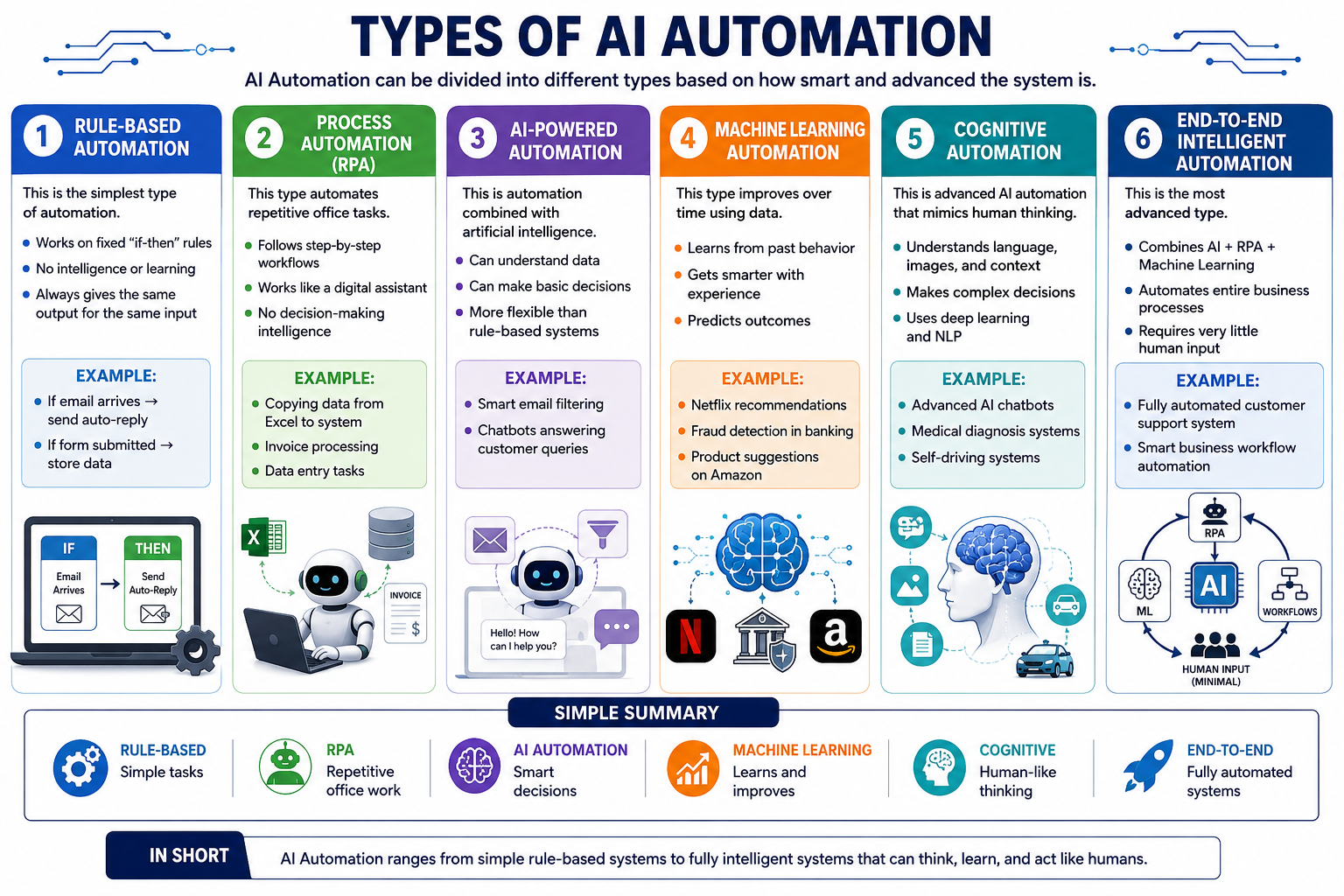
AI Automation can be divided into different types based on how smart and advanced the system is.
1. Rule-Based Automation
This is the simplest type of automation.
Works on fixed “if-then” rules
No intelligence or learning
Always gives the same output for the same input
Example:
If email arrives → send auto-reply
If form submitted → store data
2. Process Automation (RPA – Robotic Process Automation)
This type automates repetitive office tasks.
Follows step-by-step workflows
Works like a digital assistant
No decision-making intelligence
Example:
Copying data from Excel to system
Invoice processing
Data entry tasks
3. AI-Powered Automation
This is automation combined with artificial intelligence.
Can understand data
Can make basic decisions
More flexible than rule-based systems
Example:
Smart email filtering
Chatbots answering customer queries
4. Machine Learning Automation
This type improves over time using data.
Learns from past behavior
Gets smarter with experience
Predicts outcomes
Example:
Netflix recommendations
Fraud detection in banking
Product suggestions on Amazon
5. Cognitive Automation
This is advanced AI automation that mimics human thinking.
Understands language, images, and context
Makes complex decisions
Uses deep learning and NLP
Example:
Advanced AI chatbots
Medical diagnosis systems
Self-driving systems
6. End-to-End Intelligent Automation
This is the most advanced type.
Combines AI + RPA + Machine Learning
Automates entire business processes
Requires very little human input
Example:
Fully automated customer support system
Smart business workflow automation
Simple Summary
Rule-Based → Simple tasks
RPA → Repetitive office work
AI Automation → Smart decisions
Machine Learning → Learns and improves
Cognitive → Human-like thinking
End-to-End → Fully automated systems
In Short
AI Automation ranges from simple rule-based systems to fully intelligent systems that can think, learn, and act like humans.
Popular AI Automation Tools?
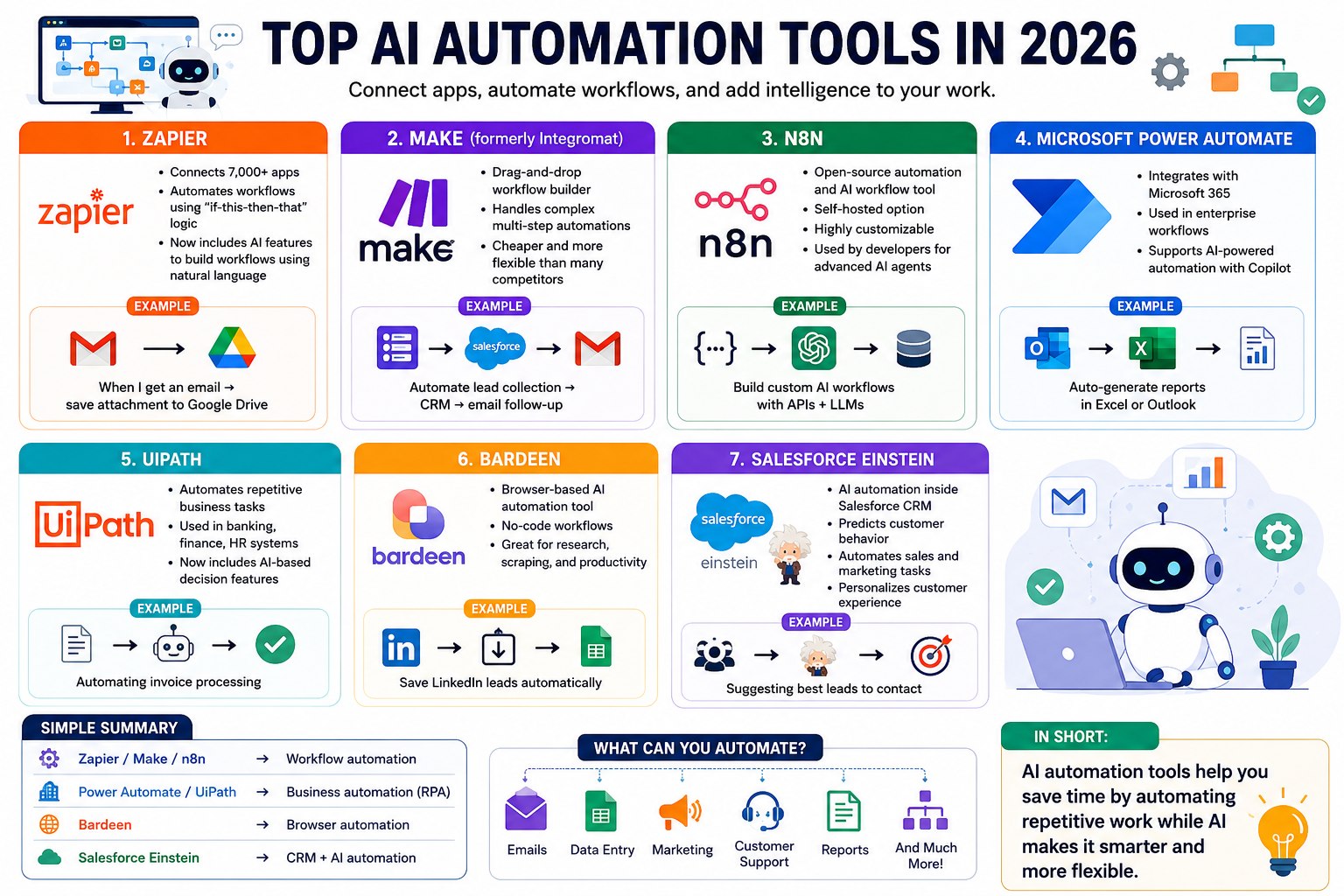
AI automation tools help you connect apps, automate workflows, and add intelligence to tasks like emails, data entry, marketing, and customer support.
Here are the most popular ones used in 2026:
1. Zapier
One of the most popular no-code automation tools.
Connects 7,000+ apps
Automates workflows using “if-this-then-that” logic
Now includes AI features to build workflows using natural language
Example: “When I get an email → save attachment to Google Drive”
2. Make (formerly Integromat)
A powerful visual automation platform.
Drag-and-drop workflow builder
Handles complex multi-step automations
Cheaper and more flexible than many competitors
Example: Automate lead collection → CRM → email follow-up
3. n8n
An open-source automation and AI workflow tool.
Self-hosted option
Highly customizable
Used by developers for advanced AI agents
Example: Build custom AI workflows with APIs + LLMs
4. Microsoft Power Automate
Microsoft’s automation platform for business users.
Integrates with Microsoft 365
Used in enterprise workflows
Supports AI-powered automation with Copilot
Example: Auto-generate reports in Excel or Outlook
5. UiPath
A leading Robotic Process Automation (RPA) tool.
Automates repetitive business tasks
Used in banking, finance, HR systems
Now includes AI-based decision features
Example: Automating invoice processing
6. Bardeen
A browser-based AI automation tool.
Automates tasks inside your browser
No-code workflows
Great for research, scraping, and productivity
Example: Save LinkedIn leads automatically
7. Salesforce Einstein
AI automation inside Salesforce CRM.
Predicts customer behavior
Automates sales and marketing tasks
Personalizes customer experience
Example: Suggesting best leads to contact
Simple Summary
Zapier / Make / n8n → Workflow automation
Power Automate / UiPath → Business automation (RPA)
Bardeen → Browser automation
Salesforce Einstein → CRM + AI automation
In Short:
AI automation tools help you save time by automating repetitive work while AI makes it smarter and more flexible.
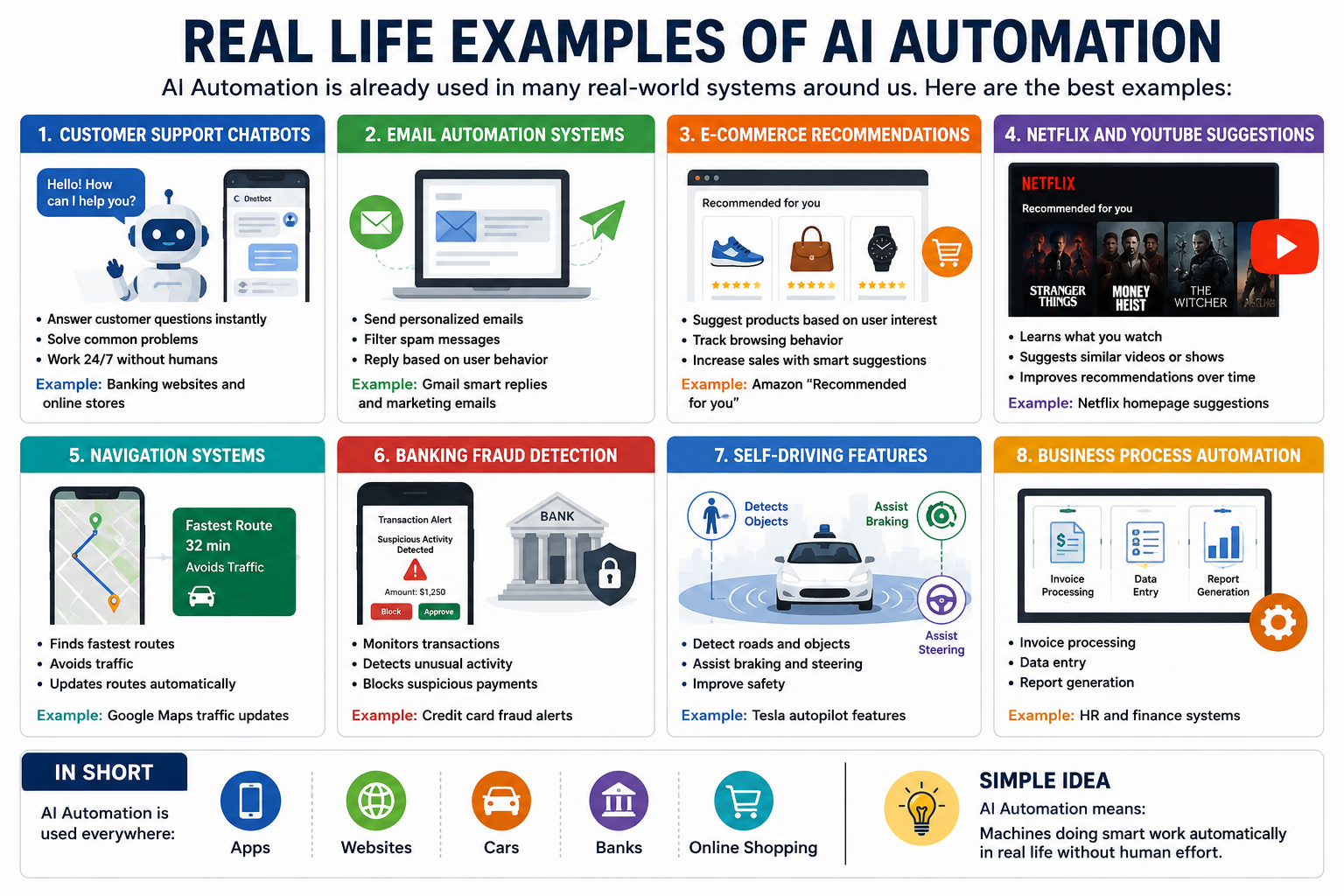
Real Life Examples of AI Automation
AI Automation is already used in many real-world systems around us. Here are the best examples:
1. Customer Support Chatbots
Many websites and apps use AI chatbots to help users.
Answer customer questions instantly
Solve common problems
Work 24/7 without humans
Example: Banking websites and online stores
2. Email Automation Systems
AI is used to manage and send emails automatically.
Send personalized emails
Filter spam messages
Reply based on user behavior
Example: Gmail smart replies and marketing emails
3. E-commerce Recommendations
Online shopping platforms use AI automation.
Suggest products based on user interest
Track browsing behavior
Increase sales with smart suggestions
Example: Amazon “Recommended for you”
4. Netflix and YouTube Suggestions
AI automatically recommends content.
Learns what you watch
Suggests similar videos or shows
Improves recommendations over time
Example: Netflix homepage suggestions
5. Navigation Systems
AI helps in real-time route optimization.
Finds fastest routes
Avoids traffic
Updates routes automatically
Example: Google Maps traffic updates
6. Banking Fraud Detection
Banks use AI automation to detect fraud.
Monitors transactions
Detects unusual activity
Blocks suspicious payments
Example: Credit card fraud alerts
7. Self-Driving Features
Cars use AI automation for driving assistance.
Detect roads and objects
Assist braking and steering
Improve safety
Example: Tesla autopilot features
8. Business Process Automation
Companies use AI to automate office work.
Invoice processing
Data entry
Report generation
Example: HR and finance systems
In Short
AI Automation is used everywhere:
Apps
Websites
Cars
Banks
Online shopping
Simple Idea
AI Automation means machines doing smart work automatically in real life without human effort.
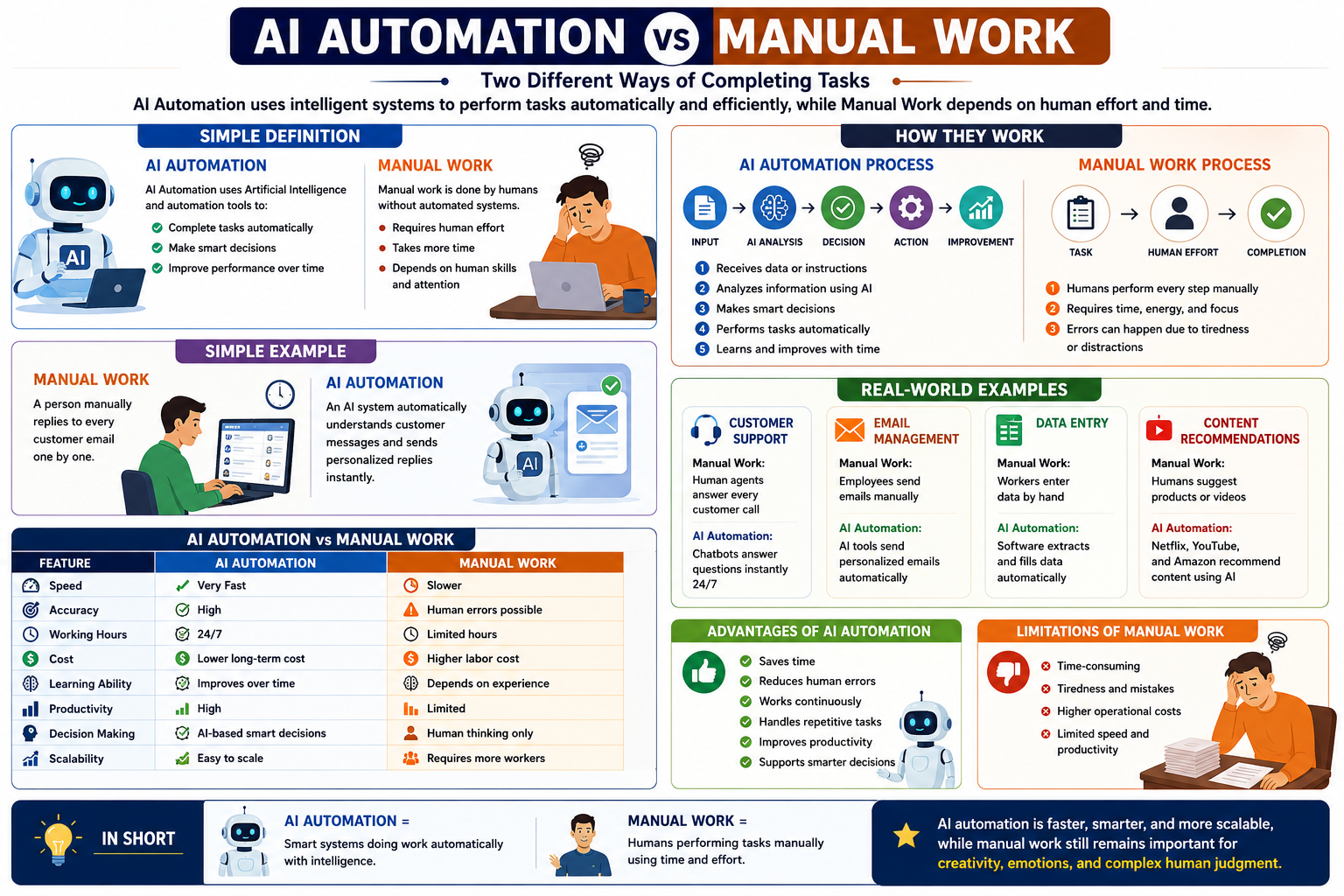
AI Automation vs Manual Work
AI Automation and Manual Work are two different ways of completing tasks. Manual work depends on humans, while AI automation uses intelligent systems to perform tasks automatically and efficiently.
Simple Definition
AI Automation
AI Automation uses Artificial Intelligence and automation tools to:
Complete tasks automatically
Make smart decisions
Improve performance over time
Manual Work
Manual work is done by humans without automated systems.
Requires human effort
Takes more time
Depends on human skills and attention
How They Work
AI Automation Process
Input → AI Analysis → Decision → Action → Improvement
Receives data or instructions
Analyzes information using AI
Makes smart decisions
Performs tasks automatically
Learns and improves with time
Manual Work Process
Task → Human Effort → Completion
Humans perform every step manually
Requires time, energy, and focus
Errors can happen due to tiredness or distractions
Simple Example
Manual Work
A person manually replies to every customer email one by one.
AI Automation
An AI system automatically understands customer messages and sends personalized replies instantly.
Real-World Examples
Customer Support
Manual Work: Human agents answer every customer call
AI Automation: Chatbots answer questions instantly 24/7
Email Management
Manual Work: Employees send emails manually
AI Automation: AI tools send personalized emails automatically
Data Entry
Manual Work: Workers enter data by hand
AI Automation: Software extracts and fills data automatically
Content Recommendations
Manual Work: Humans suggest products or videos
AI Automation: Netflix, YouTube, and Amazon recommend content using AI
AI Automation vs Manual Work
Feature AI Automation Manual Work
Speed Very Fast Slower
Accuracy High Human errors possible
Working Hours 24/7 Limited hours
Cost Lower long-term cost Higher labor cost
Learning Ability Improves over time Depends on experience
Productivity High Limited
Decision Making AI-based smart decisions Human thinking only
Scalability Easy to scale Requires more workers
Advantages of AI Automation
Saves time
Reduces human errors
Works continuously
Handles repetitive tasks
Improves productivity
Supports smarter decisions
Limitations of Manual Work
Time-consuming
Tiredness and mistakes
Higher operational costs
Limited speed and productivity
In Short
AI Automation = Smart systems doing work automatically with intelligence.
Manual Work = Humans performing tasks manually using time and effort.
AI automation is faster, smarter, and more scalable, while manual work still remains important for creativity, emotions, and complex human judgment.
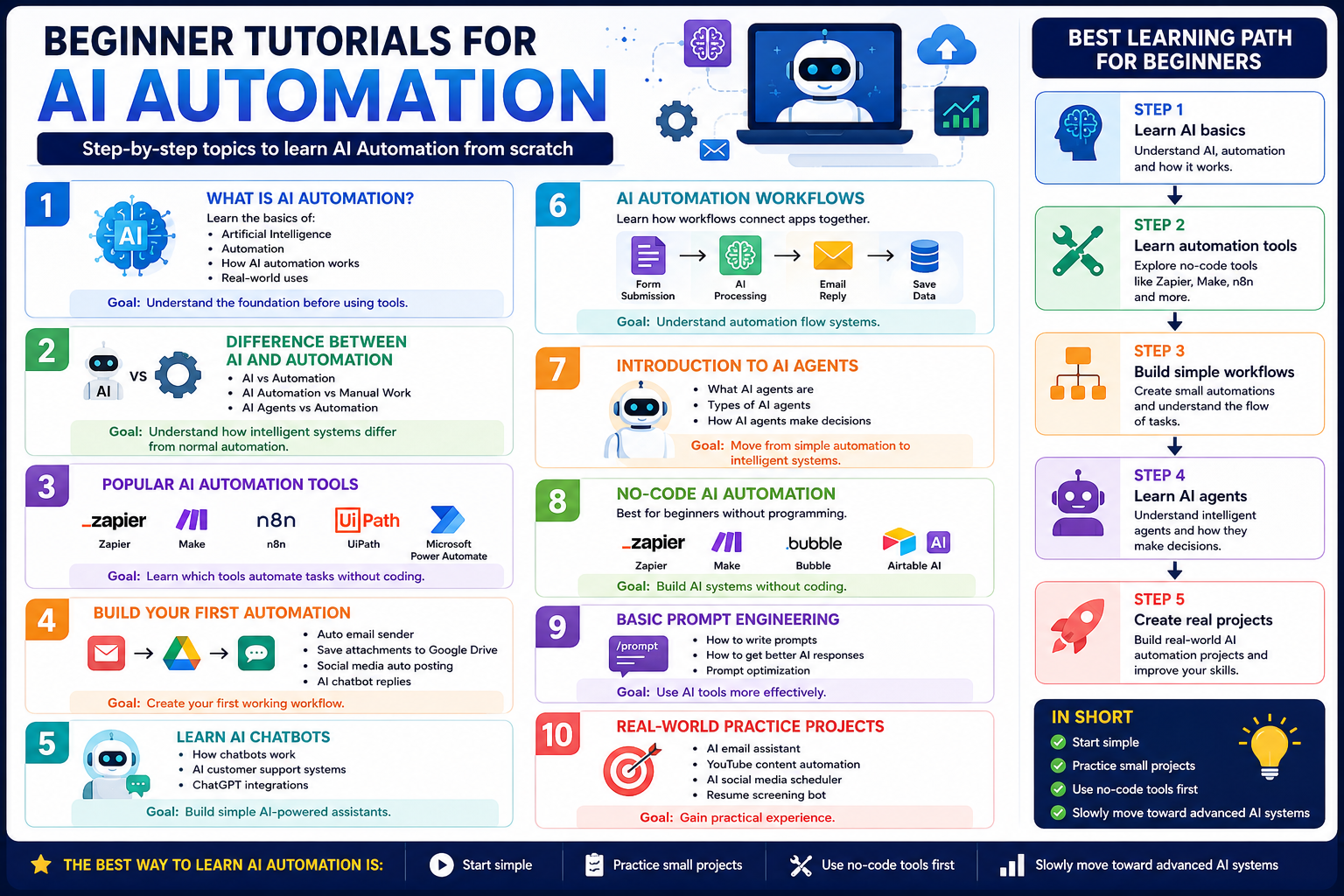
Beginner Tutorials for AI Automation
If you are new to AI Automation, start with these beginner-friendly topics step by step.
1. What Is AI Automation?
Learn the basics of:
Artificial Intelligence
Automation
How AI automation works
Real-world uses
Goal:
Understand the foundation before using tools.
2. Difference Between AI and Automation
Learn:
AI vs Automation
AI Automation vs Manual Work
AI Agents vs Automation
Goal:
Understand how intelligent systems differ from normal automation.
3. Popular AI Automation Tools
Start learning beginner tools like:
Zapier
Make
n8n
UiPath
Microsoft Power Automate
Goal:
Learn which tools automate tasks without coding.
4. Build Your First Automation
Simple beginner projects:
Auto email sender
Save attachments to Google Drive
Social media auto posting
AI chatbot replies
Goal:
Create your first working workflow.
5. Learn AI Chatbots
Understand:
How chatbots work
AI customer support systems
ChatGPT integrations
Goal:
Build simple AI-powered assistants.
6. AI Automation Workflows
Learn how workflows connect apps together.
Example:
Form Submission → AI Processing → Email Reply → Save Data
Goal:
Understand automation flow systems.
7. Introduction to AI Agents
Learn:
What AI agents are
Types of AI agents
How AI agents make decisions
Goal:
Move from simple automation to intelligent systems.
8. No-Code AI Automation
Best for beginners without programming.
Tools:
Zapier
Make
Bubble
Airtable AI
Goal:
Build AI systems without coding.
9. Basic Prompt Engineering
Learn:
How to write prompts
How to get better AI responses
Prompt optimization
Goal:
Use AI tools more effectively.
10. Real-World Practice Projects
Beginner project ideas:
AI email assistant
YouTube content automation
AI social media scheduler
Resume screening bot
Goal:
Gain practical experience.
Best Learning Path for Beginners
Step 1 → Learn AI basics
Step 2 → Learn automation tools
Step 3 → Build simple workflows
Step 4 → Learn AI agents
Step 5 → Create real projects
In Short
The best way to learn AI automation is:
Start simple
Practice small projects
Use no-code tools first
Slowly move toward advanced AI systems
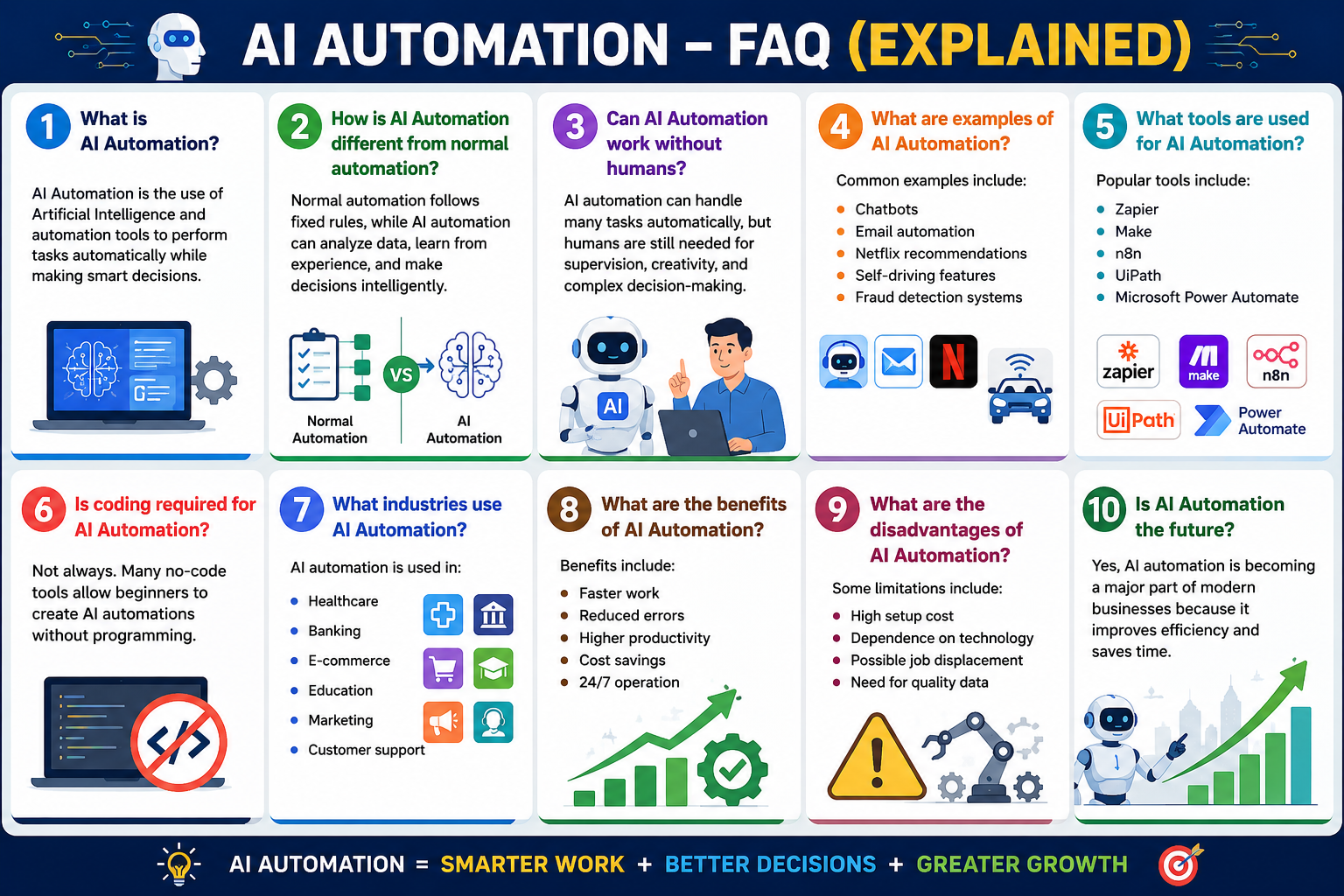
FAQ Section
1. What is AI Automation?
AI Automation is the use of Artificial Intelligence and automation tools to perform tasks automatically while making smart decisions.
2. How is AI Automation different from normal automation?
Normal automation follows fixed rules, while AI automation can analyze data, learn from experience, and make decisions intelligently.
3. Can AI Automation work without humans?
AI automation can handle many tasks automatically, but humans are still needed for supervision, creativity, and complex decision-making.
4. What are examples of AI Automation?
Common examples include:
Chatbots
Email automation
Netflix recommendations
Self-driving features
Fraud detection systems
5. What tools are used for AI Automation?
Popular tools include:
Zapier
Make
n8n
UiPath
Microsoft Power Automate
6. Is coding required for AI Automation?
Not always. Many no-code tools allow beginners to create AI automations without programming.
7. What industries use AI Automation?
AI automation is used in:
Healthcare
Banking
E-commerce
Education
Marketing
Customer support
8. What are the benefits of AI Automation?
Benefits include:
Faster work
Reduced errors
Higher productivity
Cost savings
24/7 operation
9. What are the disadvantages of AI Automation?
Some limitations include:
High setup cost
Dependence on technology
Possible job displacement
Need for quality data
10. Is AI Automation the future?
Yes, AI automation is becoming a major part of modern businesses because it improves efficiency and saves time.
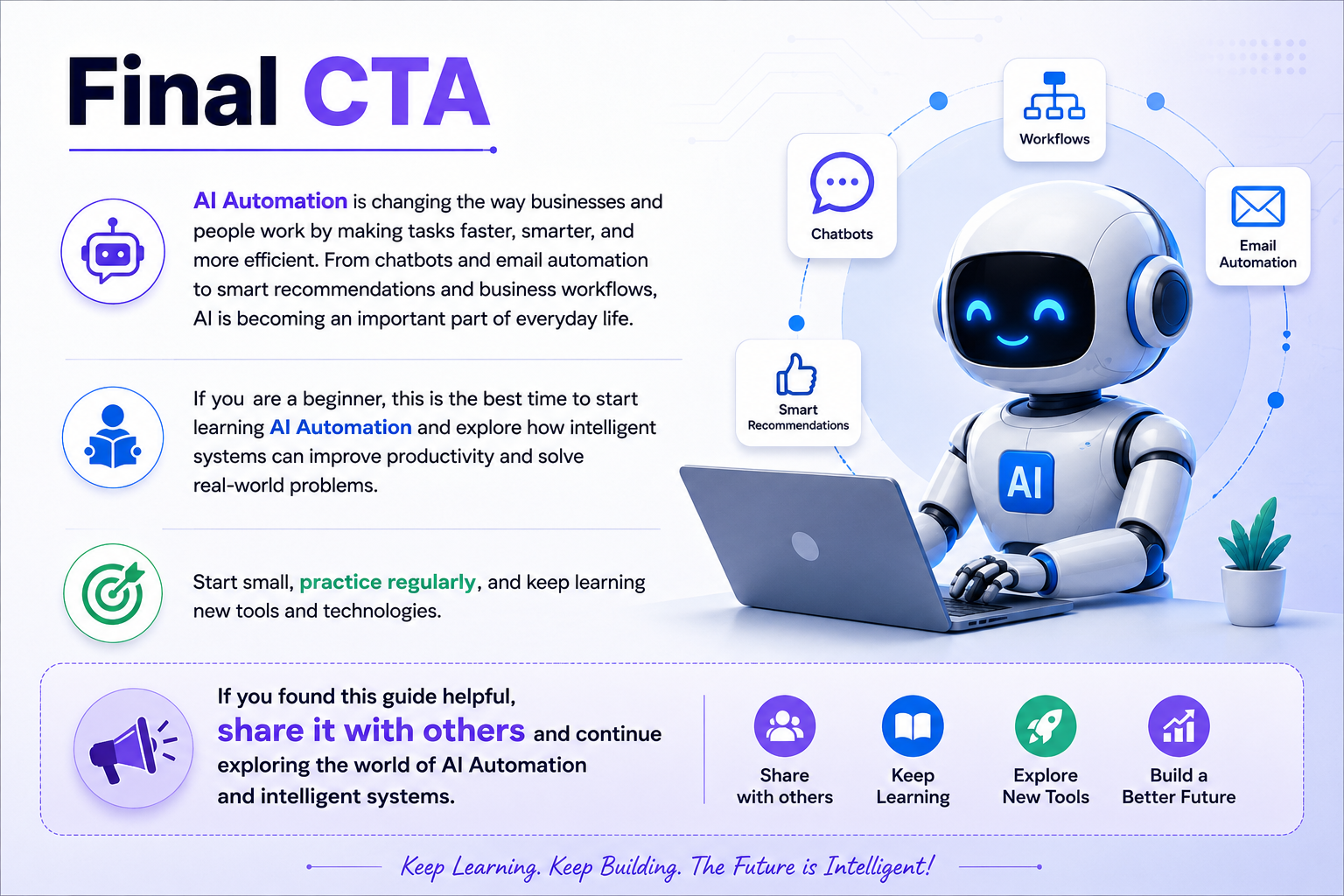
Final CTA
AI Automation is changing the way businesses and people work by making tasks faster, smarter, and more efficient. From chatbots and email automation to smart recommendations and business workflows, AI is becoming an important part of everyday life.
If you are a beginner, this is the best time to start learning AI Automation and explore how intelligent systems can improve productivity and solve real-world problems.
Start small, practice regularly, and keep learning new tools and technologies.
If you found this guide helpful, share it with others and continue exploring the world of AI Automation and intelligent systems.