
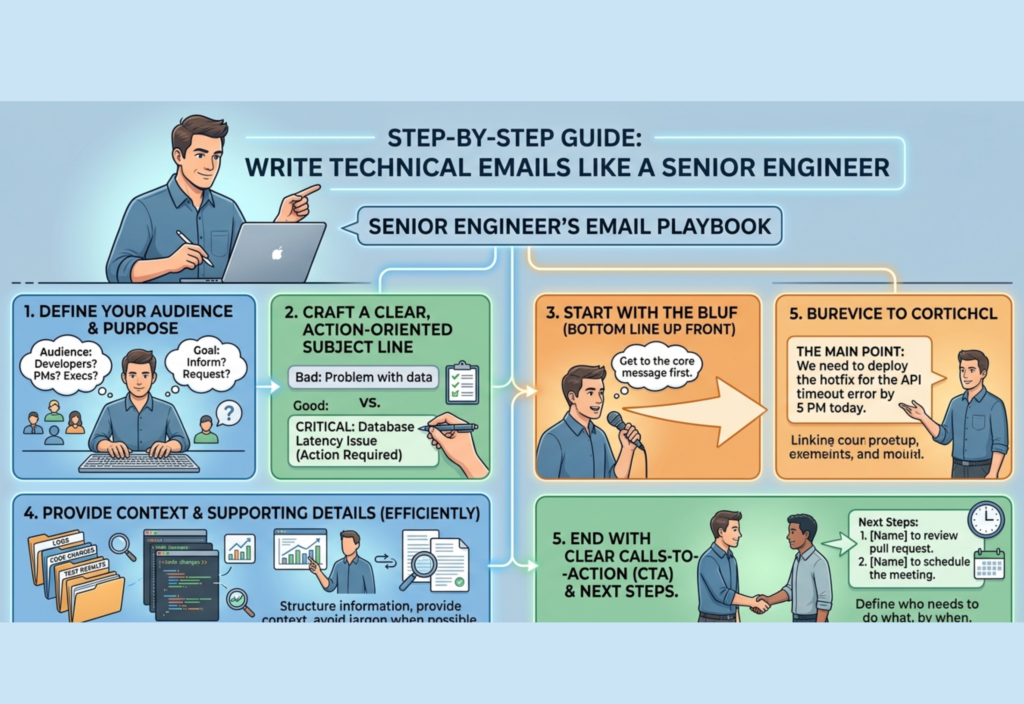
Writing professional technical emails is one of the most important soft skills in engineering. While coding, system design, and debugging are essential, the ability to communicate clearly often determines how efficiently teams collaborate and how quickly problems get resolved.
Senior engineers don’t just write emails—they communicate intent, reduce ambiguity, and drive decisions. Their emails are structured, concise, and actionable. In this guide, you’ll learn how to write technical emails that reflect that same level of professionalism.
Why Technical Email Writing Matters
In engineering environments, email is often used for:
- Reporting issues and incidents
- Requesting approvals or decisions
- Sharing technical updates
- Coordinating across teams
- Documenting discussions
Poorly written emails can lead to:
- Miscommunication
- Delayed responses
- Repeated clarification loops
- Wrong decisions
A well-written email, on the other hand, improves alignment, saves time, and builds credibility.
Step 1: Define the Objective Clearly
Before writing anything, identify the purpose of your email. Every professional email should answer one question:
What do I want the reader to do or understand?
Common objectives include:
- Requesting action
- Sharing information
- Asking for clarification
- Reporting an issue
- Proposing a solution
If the purpose is unclear to you, it will definitely be unclear to the reader.
Step 2: Identify Your Audience
Understanding your audience helps you decide:
- Level of detail
- Tone of communication
- Technical depth
- Structure of explanation
Examples:
- Managers / Stakeholders: Focus on impact, outcomes, timelines
- Engineers: Include logs, metrics, technical reasoning
- Cross-functional teams: Use simplified explanations without heavy jargon
Senior engineers always adapt their communication style based on who they are addressing.
Step 3: Craft a Strong Subject Line
The subject line is critical because it determines whether your email gets attention.
Weak Examples:
- “Update”
- “Issue”
- “Question”
Strong Examples:
- “Production latency spike in payment API – investigation needed”
- “Decision required: database scaling approach for Q2 traffic”
- “Deployment status update: authentication service”
A good subject line should:
- Be specific
- Reflect urgency (if applicable)
- Indicate purpose clearly
Step 4: Start with Context
Begin your email with a short paragraph that provides context.
This helps the reader quickly understand the situation without asking follow-up questions.
Example:
“Following the latest deployment to the payment service, we have observed a noticeable increase in response times and error rates.”
Avoid long introductions. Senior engineers get straight to the point while still providing enough background.
Step 5: Present the Problem or Objective Clearly
After context, clearly state the reason for your email.
Examples:
- “We are investigating a spike in API latency.”
- “We need approval for the proposed architecture change.”
- “I would like assistance in identifying the root cause of this error.”
This section should leave no ambiguity about what the email is about.
Step 6: Provide Supporting Technical Details
This is where you include relevant evidence to support your message.
Depending on the situation, include:
- Error logs
- Metrics (CPU, memory, latency, throughput)
- Screenshots or dashboards
- Code references
- API responses
Example:
- Latency increased from 250ms to 1.2s
- Error rate increased from 0.5% to 4%
- CPU usage sustained above 80%
- Affected endpoints:
/checkout,/payment/process
Avoid overwhelming the reader with unnecessary data. Only include what is relevant.
Step 7: Explain the Impact
Senior engineers always communicate why something matters.
Impact can be:
- User-facing issues
- Business impact
- Performance degradation
- System instability
Example:
“This issue is affecting user checkout flows and may lead to failed transactions, directly impacting revenue.”
Clearly explaining impact helps prioritize urgency and response.
Step 8: Structure the Email for Readability
Long technical emails should be easy to scan. Use:
- Headings or sections
- Bullet points
- Short paragraphs
- Logical grouping of information
Avoid large blocks of text. Readers should be able to quickly extract key points without rereading multiple times.
Step 9: Make Your Request Explicit
Never assume the reader knows what action is expected.
Clearly state:
- What you want
- Who should do it
- When it should be done (if applicable)
Examples:
- “Could you please review the attached logs and share your findings?”
- “Please approve the deployment plan by end of day.”
- “Let me know which approach you prefer: Option A or Option B.”
Clarity in requests leads to faster responses.
Step 10: Maintain a Professional Tone
Tone plays a major role in how your message is perceived.
Best practices:
- Stay neutral and factual
- Avoid emotional or blame-oriented language
- Use polite and respectful wording
Instead of:
“This was implemented incorrectly.”
Say:
“There may be an issue in the implementation that could be causing this behavior.”
Professional tone builds trust and collaboration.
Step 11: Keep It Concise
Senior engineers value brevity. A concise email:
- Saves time
- Reduces confusion
- Improves readability
Tips:
- Remove redundant phrases
- Avoid repetition
- Use short sentences
- Focus only on relevant information
Conciseness does not mean lack of detail—it means efficient communication.
Step 12: Use Bullet Points and Formatting Effectively
Bullet points are extremely useful in technical emails.
Example:
- Deployment completed at 10:00 AM
- Latency increased immediately after deployment
- Error rate doubled within 30 minutes
- Affected services include authentication and payment APIs
This format allows readers to quickly scan and understand key facts.
Step 13: Include References and Attachments
If your email refers to external data, always include:
- Attachments (logs, reports, screenshots)
- Links to dashboards or documents
- Relevant code snippets or repositories
Also mention them in the email body so the reader knows what to look for.
Example:
“I’ve attached the monitoring dashboard and error logs for further analysis.”
Step 14: Avoid Ambiguity
Ambiguity leads to misunderstandings and delays.
Avoid:
- “Something seems broken”
- “It’s not working as expected”
Prefer:
- “The API returns a 500 error when valid credentials are provided”
- “The deployment failed due to missing environment variables”
Be precise in describing issues.
Step 15: Review Before Sending
Before sending your email, quickly verify:
- Is the subject clear?
- Is the purpose obvious?
- Is the tone professional?
- Is the message concise?
- Are the action items clearly defined?
- Are there spelling or grammar issues?
A quick review ensures your email reflects professionalism and clarity.
Complete Example of a Professional Technical Email
Subject: Production API latency increase after deployment – investigation required
Hi Team,
Following the latest deployment to the payment service, we are observing a significant increase in API latency and error rates.
Context:
- Deployment completed at 10:00 AM
- Issues observed shortly after deployment
Observations:
- Average response time increased from 250ms to 1.2s
- Error rate increased from 0.5% to 4%
- CPU usage is consistently above 80%
- Affected endpoints include
/checkoutand/payment/process
Impact:
- Users are experiencing delays during checkout
- Some transactions are failing, which may affect conversion rates
Request:
Could someone please investigate the recent changes and help identify the root cause?
I’ve attached the relevant logs and monitoring dashboard for reference.
Thanks,
[Your Name]
Final Thoughts
Professional technical email writing is a skill that improves with practice. The key principles remain consistent:
- Be clear about your objective
- Understand your audience
- Use a structured format
- Keep your message concise
- Provide relevant technical details
- State actionable requests
- Maintain a professional tone
Senior engineers are effective communicators because they remove friction from communication. By applying these techniques, you can write emails that are not only professional but also efficient, clear, and impactful.

