
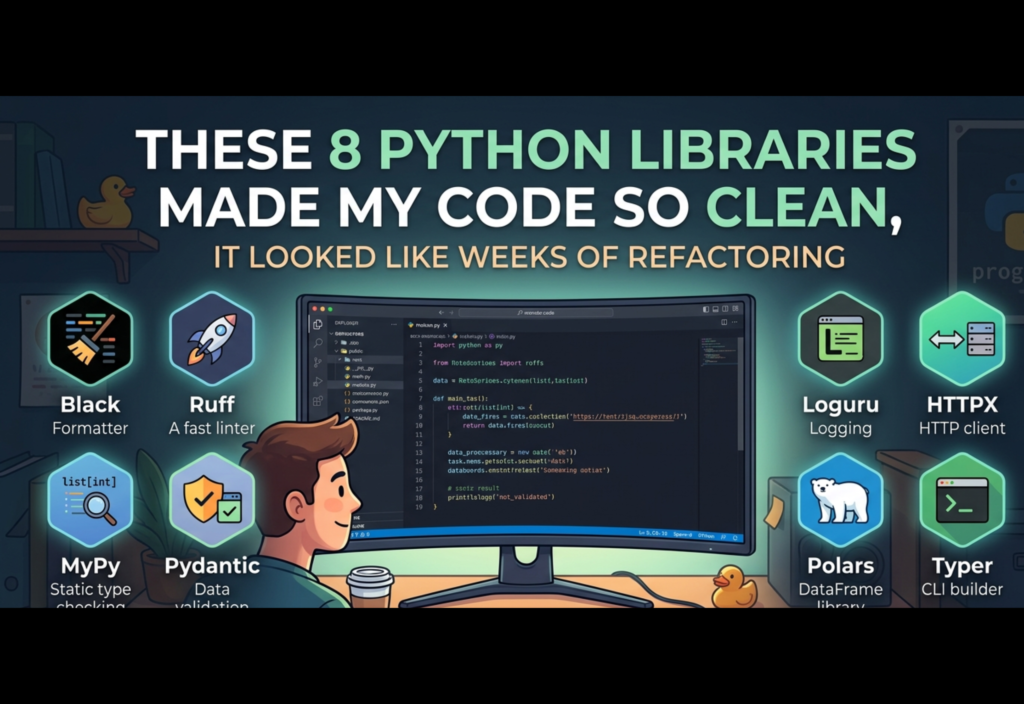
Writing clean and maintainable code is easier when you use the right Python clean code libraries. These tools help developers improve readability, structure, and overall code quality without spending hours on manual refactoring.
In this article, we’ll explore 8 essential Python libraries that help you write cleaner, more organized, and more professional code—making it look like you spent weeks refactoring, even if you didn’t.
1. Black – Automatic Code Formatting Made Simple
Consistency is key when it comes to clean code. Black is an opinionated code formatter that automatically formats your Python code in a standardized way.
Instead of debating formatting styles or manually adjusting spacing, Black ensures that your code always follows a consistent structure.
Why Black is powerful:
- Eliminates manual formatting
- Enforces a consistent style across teams
- Reduces cognitive load during code reviews
- Saves time in large projects
Impact on code quality:
- Improves readability instantly
- Makes collaboration easier
- Keeps code uniform across multiple files
Black is often referred to as the “uncompromising formatter” because it removes subjectivity and enforces a single style.
2. isort – Clean and Organized Imports
In large Python projects, import statements can become chaotic. Multiple modules, third-party libraries, and local files can quickly turn imports into a mess.
isort automatically sorts and organizes imports into logical sections.
What it does:
- Separates standard library, third-party, and local imports
- Sorts imports alphabetically
- Removes duplicate imports
Benefits:
- Keeps files clean and structured
- Improves readability at the top of every file
- Works seamlessly with Black and other tools
Well-organized imports make it easier for developers to understand dependencies at a glance.
3. Pydantic – Data Validation with Type Safety
Handling data validation manually can lead to repetitive and error-prone code. Pydantic simplifies this by using Python type hints to validate and parse data automatically.
Key advantages:
- Automatic validation of input data
- Strong type enforcement
- Clear error messages
- Reduced boilerplate code
Why it matters:
Instead of writing custom validation logic, you define a model and let Pydantic handle the rest.
This leads to:
- Cleaner data models
- Fewer bugs related to invalid input
- More predictable application behavior
Pydantic is especially useful in APIs, data pipelines, and configuration management.
4. Loguru – Clean and Powerful Logging
Logging is essential for debugging and monitoring applications, but Python’s built-in logging module can be complex and verbose.
Loguru simplifies logging with an intuitive and developer-friendly interface.
Features:
- No configuration required
- Beautiful log formatting
- Built-in file rotation and retention
- Easy error tracking
Benefits:
- Reduces boilerplate setup
- Makes logs easier to read
- Improves debugging efficiency
With Loguru, logging becomes something you enjoy rather than struggle with.
5. Rich – Enhanced Terminal Output
When working in the terminal, plain text output can feel limited and hard to interpret. Rich transforms your terminal into a visually appealing interface with colors, formatting, and structured outputs.
What Rich offers:
- Colored text output
- Tables and panels
- Progress bars
- Syntax highlighting
Why developers use it:
- Better visualization of data
- Improved debugging experience
- More professional CLI tools
Rich makes your terminal output not only functional but also visually engaging.
6. Typer – Build Modern CLIs Easily
Command-line interfaces (CLIs) are commonly used for automation and tooling. Typer allows you to build CLIs using Python type hints, making the process simple and intuitive.
Key strengths:
- Minimal boilerplate
- Automatic help generation
- Type hint-based argument parsing
- Built on modern Python features
Example use cases:
- Developer tools
- Automation scripts
- Internal utilities
Typer reduces complexity and lets you focus on functionality rather than CLI parsing logic.
7. FastAPI – Clean, Fast, and Modern API Development
Building APIs is a core part of many applications. FastAPI is a modern framework designed for speed, simplicity, and scalability.
Why FastAPI stands out:
- Automatic validation using type hints
- Built-in interactive API documentation
- High performance (based on ASGI)
- Clean and minimal syntax
Benefits:
- Faster development cycles
- Less boilerplate code
- Improved maintainability
- Excellent for production systems
FastAPI encourages clean architecture and type-driven development, which naturally leads to better structured code.
8. Pathlib – Modern File System Handling
Working with file paths using traditional string-based methods can be messy and error-prone. pathlib provides an object-oriented approach to handling file paths.
Advantages:
- Cleaner and more readable syntax
- Cross-platform compatibility
- Built-in methods for file operations
Why it improves code:
- Eliminates string concatenation for paths
- Reduces bugs related to file handling
- Makes file operations intuitive
Pathlib replaces older approaches with a more modern and Pythonic way of working with files and directories.
How These Libraries Transform Your Codebase
Individually, each of these libraries improves a specific aspect of your code. But when used together, they create a powerful ecosystem that dramatically enhances overall code quality.
Combined benefits:
- Consistent formatting across the entire project
- Organized and readable imports
- Reliable data validation
- Clean logging and debugging
- Visually enhanced terminal output
- Simple CLI tools
- Fast and structured API development
- Modern file handling
The result is a codebase that feels:
- Well-structured
- Easy to navigate
- Maintainable over time
- Professional and production-ready
Final Thoughts
Refactoring is important, but it’s not always the most efficient way to improve code quality. Sometimes, adopting the right tools can achieve similar or even better results without rewriting large portions of your codebase.
The 8 Python libraries discussed in this article help you:
- Write cleaner code from the start
- Reduce manual effort
- Avoid common pitfalls
- Improve collaboration within teams
By integrating these tools into your workflow, your codebase will naturally evolve into something that looks polished, organized, and well-refactored—even if you didn’t spend weeks rewriting it.
Clean code is not just about effort—it’s about using the right tools.

