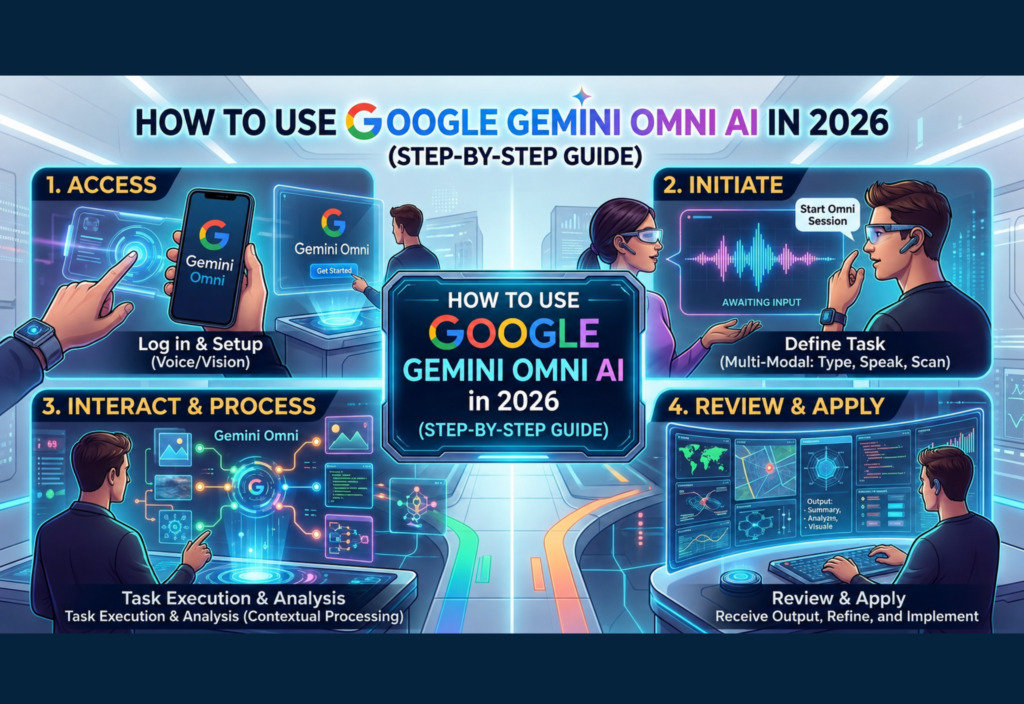
Artificial Intelligence is changing digital content creation faster than ever before. In 2026, one of the most advanced AI platforms attracting global attention is Google Gemini Omni AI. This powerful multimodal AI system allows users to generate videos, edit media, create visuals, and automate creative workflows using simple text instructions.
Unlike traditional editing software that requires advanced technical knowledge, Gemini Omni AI focuses on simplicity and speed. Users can create professional-looking content through conversational commands without learning complicated editing tools.
Whether you are a content creator, student, marketer, business owner, or beginner, Gemini Omni AI offers a modern way to produce high-quality digital content with minimal effort.
This step-by-step guide explains how to use Google Gemini Omni AI in 2026, including setup, text-to-video creation, AI editing, image animation, voice tools, and beginner tips.
What Is Google Gemini Omni AI?
Google Gemini Omni AI is a multimodal artificial intelligence platform developed to understand and generate multiple forms of media, including:
- Text
- Images
- Audio
- Video
- Voice commands
The system combines AI video generation, conversational editing, image animation, and smart automation into one unified workflow.
Instead of switching between different editing programs, users can create and modify content directly through natural language prompts.
For example, users can type commands like:
- “Create a cinematic sunset scene.”
- “Add rain effects.”
- “Change the background music.”
- “Turn this image into a video.”
The AI processes these requests automatically and generates visual results within minutes.
Why Gemini Omni AI Is Popular in 2026
Gemini Omni AI became popular because it introduced faster and more user-friendly AI video creation features.
Some major reasons behind its popularity include:
Beginner-Friendly Interface
Users do not need professional editing skills.
Fast Content Generation
Videos can be generated much faster than traditional editing methods.
AI-Powered Editing
Users can edit videos using simple chat instructions.
Multi-Format Support
The platform supports text, images, audio, and video together.
Character Consistency
AI-generated characters remain more consistent across scenes.
Time and Cost Savings
Creators can produce professional content without expensive equipment or large editing teams.
These features make Gemini Omni AI useful for creators, businesses, educators, and social media users.
Step 1: Access Google Gemini Omni AI
The first step is accessing the Gemini Omni platform.
Sign In With a Google Account
Open the Gemini platform through supported Google services and log in using your Google account.
Check Feature Availability
Some advanced features may roll out gradually depending on region, subscription plan, or beta access.
Enable Experimental AI Tools
If available, activate experimental or early-access AI features inside settings.
After setup, users can begin generating AI content immediately.
Step 2: Explore the Gemini Omni Dashboard
Once logged in, users will see a simplified AI workspace.
The dashboard may include:
- Prompt input section
- Video generation tools
- Image upload options
- Audio controls
- AI editing commands
- Export settings
Unlike traditional editing software with complicated timelines, Gemini Omni AI relies heavily on conversational interaction.
This makes the platform easier for beginners to understand.
Step 3: Create Your First AI Video
One of the most popular Gemini Omni AI features is text-to-video generation.
How Text-to-Video Works
Users enter a detailed text prompt describing the desired scene, style, or motion.
Example Prompt
“Create a futuristic city at night with neon lights, flying cars, and cinematic camera movement.”
The AI analyzes the instructions and generates a short video clip based on the description.
Tips for Writing Better Prompts
Better prompts usually produce higher-quality videos.
Be Specific
Instead of:
- “Create a city.”
Use:
- “Create a futuristic cyberpunk city with glowing neon signs and rainy streets.”
Describe Camera Angles
Examples:
- Drone shot
- Close-up
- Wide-angle scene
- Cinematic tracking shot
Mention Lighting
Examples:
- Golden sunset
- Soft lighting
- Dark atmosphere
- Blue neon glow
Add Motion Details
Examples:
- Slow-motion walking
- Moving clouds
- Falling snow
- Ocean waves
Detailed prompts help the AI understand your creative vision more accurately.
Step 4: Edit Videos With AI Commands
Traditional editing software often requires timelines, layers, and complex adjustments.
Gemini Omni AI simplifies editing through natural language conversation.
Users can type instructions such as:
- “Make the video brighter.”
- “Add snowfall.”
- “Change the background to mountains.”
- “Replace the music.”
- “Add cinematic effects.”
The AI applies changes automatically without requiring manual editing skills.
This saves creators significant production time.
Step 5: Turn Images Into Videos
Gemini Omni AI also supports image-to-video animation.
Users can upload:
- Product images
- Portraits
- Artwork
- Landscapes
- Brand graphics
The AI then transforms static images into moving visual sequences.
Popular Uses
- Social media reels
- Product advertisements
- Marketing videos
- YouTube intros
- Educational presentations
Businesses can reuse existing image content instead of creating videos from scratch.
Step 6: Use Voice and Audio Features
Gemini Omni AI supports audio integration alongside video generation.
Users can:
- Add voice narration
- Insert background music
- Include sound effects
- Sync audio with scenes
- Adjust timing automatically
This helps creators produce more engaging and professional-looking videos.
Audio tools are especially useful for YouTube videos, tutorials, and promotional content.
Step 7: Maintain Character Consistency
Older AI video generators often struggled with inconsistent characters between scenes.
Gemini Omni AI improves this problem using character consistency technology.
The system attempts to maintain:
- Facial appearance
- Clothing style
- Hairstyles
- Character identity
- Visual continuity
This feature is useful for storytelling videos, animated scenes, and multi-scene projects.
Creators spend less time correcting character changes manually.
Step 8: Export and Share Your Video
After completing edits, users can export their final projects.
Common export formats may include:
- MP4
- Vertical short videos
- Landscape widescreen videos
- Social-media-ready formats
Videos can then be uploaded to:
- YouTube
- TikTok
- Instagram Reels
- Websites
- Marketing campaigns
Best Uses for Gemini Omni AI
Gemini Omni AI can help users across multiple industries.
Content Creation
YouTubers and influencers can generate videos more efficiently.
Digital Marketing
Businesses can create advertisements and promotional content faster.
Education
Teachers can build animated lessons and visual learning materials.
Blogging
Bloggers can transform written content into engaging video summaries.
Social Media
Short-form videos can be created quickly for platforms like TikTok and Instagram.
Advantages of Gemini Omni AI
Gemini Omni AI offers several important benefits.
Faster Workflow
AI automation reduces editing time significantly.
Lower Production Costs
Users can create content without expensive production equipment.
Easy for Beginners
Conversational editing makes the platform simple to use.
Creative Flexibility
Users can combine text, images, video, and audio in one place.
Improved Productivity
Creators can generate more content in less time.
Current Limitations
Despite its advanced capabilities, Gemini Omni AI still has some limitations.
Limited Video Length
Some AI-generated clips may have duration limits.
Feature Availability
Certain tools may not be available in every country.
Heavy Server Demand
High usage periods may slow generation speed.
Occasional AI Errors
Some scenes may require manual refinement for better quality.
Even with these limitations, the platform remains one of the most advanced AI creative systems available in 2026.
Tips for Beginners
If you are new to AI video creation, these tips can help improve results.
Start Simple
Use short prompts before attempting complex scenes.
Experiment With Styles
Try cinematic, realistic, animated, or futuristic styles.
Edit Gradually
Make small changes step by step.
Save Different Versions
AI outputs can vary, so saving multiple versions is helpful.
Focus on Creativity
AI tools work best when combined with human ideas and storytelling.
The Future of AI Video Creation
AI-generated media is expected to grow rapidly over the next few years.
Google Gemini Omni AI represents a major shift toward fully integrated content creation where text, images, voice, and video work together inside one intelligent platform.
As technology improves, creators may eventually produce entire films, advertisements, tutorials, and educational experiences through conversational AI workflows.
This could transform how digital media is created worldwide.
Final Thoughts
Google Gemini Omni AI is one of the most advanced AI-powered creative tools available in 2026. Its ability to generate videos from text prompts, edit scenes through conversation, animate images, and maintain character consistency makes it highly valuable for creators and businesses alike.
Whether you are a beginner or professional creator, Gemini Omni AI provides a faster and easier way to create engaging digital content.
By learning how to write better prompts, use AI editing commands, and combine different media formats effectively, users can unlock the full potential of this next-generation AI platform.