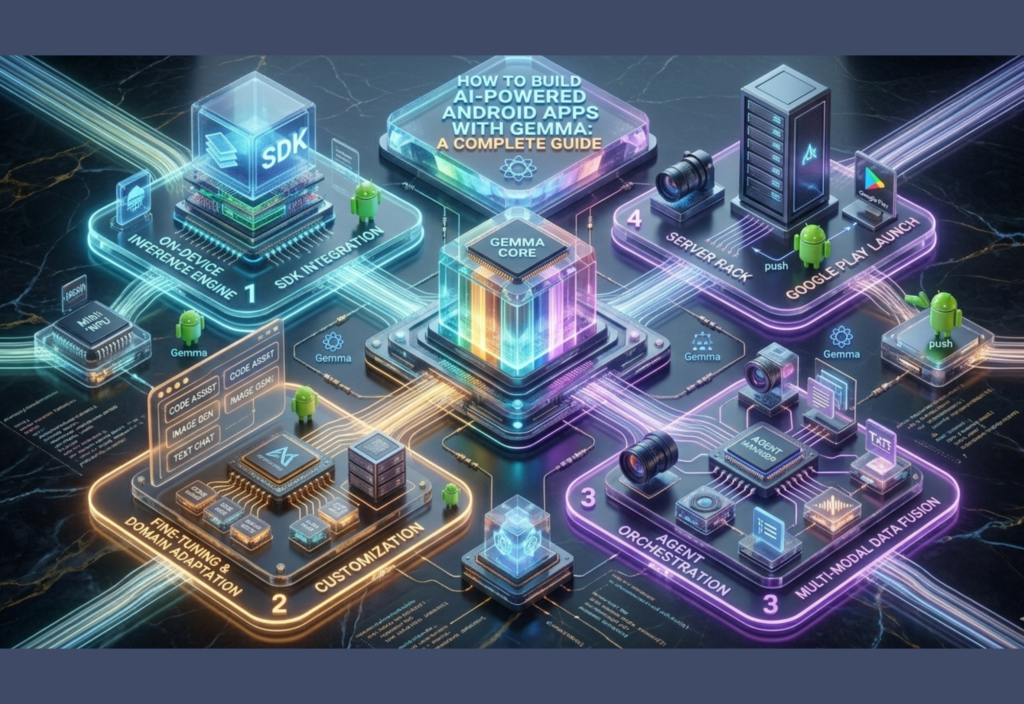
AI Android Apps with Gemma are becoming one of the most powerful trends in modern mobile development. These apps use artificial intelligence to create smart features like chatbots, image recognition, and personalized recommendations.
With AI Android Apps with Gemma, developers can easily build intelligent mobile applications that feel more human and responsive.
In this guide, you will learn how AI Android Apps with Gemma work and how to build them step by step from beginner to advanced level.
What Is Gemma?
Gemma is a collection of lightweight AI models created by Google AI. These models are inspired by the same research used in larger AI systems but are optimized to run efficiently on personal devices and developer environments.
Gemma models are designed for:
- AI chat applications
- Text generation
- Content summarization
- Smart assistants
- Coding helpers
- Offline AI features
- Mobile AI experiences
Unlike extremely large cloud-only AI systems, Gemma focuses on accessibility and efficiency, making it useful for Android developers.
Why Use Gemma for Android Apps?
There are many reasons developers are interested in Gemma for Android development.
1. Lightweight Performance
Gemma models are optimized for efficiency, meaning they can work better on smaller systems compared to very large AI models.
This helps developers create apps that feel faster and more responsive.
2. Better Privacy
Some AI tasks can run directly on-device instead of sending all user data to external servers.
This improves:
- User privacy
- Security
- Offline functionality
- Faster response times
3. AI Features Become Easier
Developers can integrate intelligent features like:
- AI chatbots
- Smart search
- Auto replies
- Writing assistants
- Language translation
- Summaries
- Recommendations
without building AI models from scratch.
Skills You Need Before Starting
You do not need to be an AI expert to begin.
However, basic knowledge of these topics helps:
- Android Studio
- Kotlin or Java
- Android app basics
- APIs
- JSON
- Gradle
- Firebase (optional)
If you are completely new, start with Android basics first.
Tools Required
Before building your AI-powered app, install the following tools.
Android Studio
Android Studio is the official IDE for Android development.
Download it from:
Kotlin
Kotlin is now the preferred language for Android development.
It is modern, clean, and officially supported by Google.
Gemma Models
You can explore Gemma models here:
Understanding How AI Works in Android Apps
Before coding, it’s important to understand the general workflow.
Traditional Apps
Traditional apps follow fixed programming rules.
Example:
- User clicks button
- App performs predefined action
AI-Powered Apps
AI apps can:
- Understand text
- Generate responses
- Learn patterns
- Predict outcomes
- Handle natural language
Instead of fixed outputs, AI apps generate intelligent responses dynamically.
Architecture of an AI-Powered Android App
A typical Gemma-based Android app includes:
- Android frontend
- User input system
- AI processing layer
- Model integration
- Response generation
- UI rendering
The AI model acts like the “brain” of the app.
Beginner Project: Simple AI Chat App
Let’s start with a beginner-friendly AI chatbot project.
Step 1: Create a New Android Project
Open Android Studio and create:
- Empty Activity
- Kotlin project
- Minimum SDK: Android 8 or above
Step 2: Design the User Interface
Create:
- Text input field
- Send button
- Chat response area
A clean UI improves user experience.
Step 3: Add Networking Support
Most AI apps communicate with AI services using APIs.
Add dependencies inside Gradle for:
- Retrofit
- OkHttp
- Gson
These help send requests and receive AI responses.
Step 4: Connect AI Model
You can connect Gemma through supported APIs or local implementations depending on your setup.
The app sends:
- User message
- Prompt
- Context
The AI returns a generated response.
Step 5: Display AI Response
After receiving the response:
- Parse JSON data
- Extract AI message
- Display it inside the chat window
Now your basic AI chatbot works.
Intermediate Features to Add
Once the beginner chatbot works, you can upgrade your app with smarter features.
1. Conversation Memory
Allow the AI to remember previous messages for more natural conversations.
This creates a better user experience.
2. Voice Input
Add speech-to-text support using Android voice recognition APIs.
Users can talk directly to the AI assistant.
3. AI Summarization
Gemma can summarize:
- Articles
- Notes
- Emails
- Documents
This is useful for productivity apps.
4. Smart Recommendations
AI can analyze user behavior and suggest:
- Products
- Videos
- Articles
- Learning materials
Recommendation systems are widely used in modern applications.
Advanced AI Android App Features
Now let’s move toward advanced-level development.
1. Offline AI Processing
Some Gemma implementations may allow on-device inference.
Benefits include:
- Faster performance
- Reduced server costs
- Better privacy
- Offline support
This is especially important in regions with unstable internet connections.
2. AI Image Understanding
Combine Gemma with computer vision tools to create apps that can:
- Analyze images
- Detect objects
- Read text from photos
- Understand scenes
This is useful in education, healthcare, and e-commerce apps.
3. Personalized AI Assistants
Advanced apps can build personalized AI assistants that adapt to user behavior.
Examples include:
- Study assistants
- Writing helpers
- Business productivity tools
- Smart scheduling systems
4. AI + Firebase Integration
Using Firebase with AI apps helps manage:
- Authentication
- Cloud storage
- Notifications
- Analytics
- Real-time databases
This creates scalable applications.
Performance Optimization Tips
AI apps can become resource-heavy if not optimized correctly.
Reduce API Calls
Avoid unnecessary requests.
Use caching where possible.
Compress Data
Smaller requests improve app speed.
Optimize UI Rendering
Heavy AI responses can slow interfaces.
Use:
- RecyclerView
- Lazy loading
- Efficient layouts
Use Background Processing
AI tasks should run in background threads to avoid freezing the app.
Security Best Practices
Security is critical in AI applications.
Protect API Keys
Never expose secret keys publicly inside apps.
Use secure backend systems.
Validate User Input
Prevent harmful or invalid requests.
Respect User Privacy
Only collect necessary data.
Be transparent about AI usage.
Real-World AI Android App Ideas
Here are practical app ideas you can build using Gemma.
AI Study Assistant
Features:
- Homework help
- Note summaries
- Quiz generation
- Learning recommendations
AI Writing Assistant
Users can:
- Generate blog ideas
- Improve grammar
- Rewrite sentences
- Create captions
AI Customer Support App
Businesses can automate customer interactions using AI chat systems.
AI Health Information App
AI can help organize general wellness information and educational content.
Important: Medical apps should always involve qualified professionals.
Common Challenges Developers Face
1. Slow AI Responses
Solution:
- Optimize prompts
- Reduce unnecessary data
- Improve backend performance
2. High Server Costs
Solution:
- Use smaller models
- Optimize requests
- Add caching systems
3. Poor AI Accuracy
Solution:
- Improve prompts
- Add context
- Fine-tune workflows
Future of AI in Android Development
AI-powered mobile apps will continue growing rapidly.
Future trends may include:
- Smarter offline AI
- Personalized assistants
- Real-time translation
- AI-generated interfaces
- Emotion-aware systems
- Multimodal AI experiences
Developers who learn AI integration today may have strong opportunities in the future.
Final Thoughts
Building AI-powered Android apps with Gemma is becoming more accessible for developers at every level.
Whether you are a beginner learning Android basics or an advanced developer creating intelligent systems, Gemma provides exciting possibilities for adding AI features to mobile applications.
The best approach is to start simple:
- Build a chatbot
- Add AI summaries
- Improve user interaction
- Optimize performance
- Gradually explore advanced AI features
AI development is not about replacing human creativity — it is about enhancing what developers can build.
With the right learning path, experimentation, and consistent practice, you can create Android apps that feel smarter, faster, and more useful for real users.
By the way, what do you think of the way I format and write these long articles? If there’s a style you want more of — like more professional, more SEO-focused, simpler English, or more human/conversational — I can adapt future articles to match that.