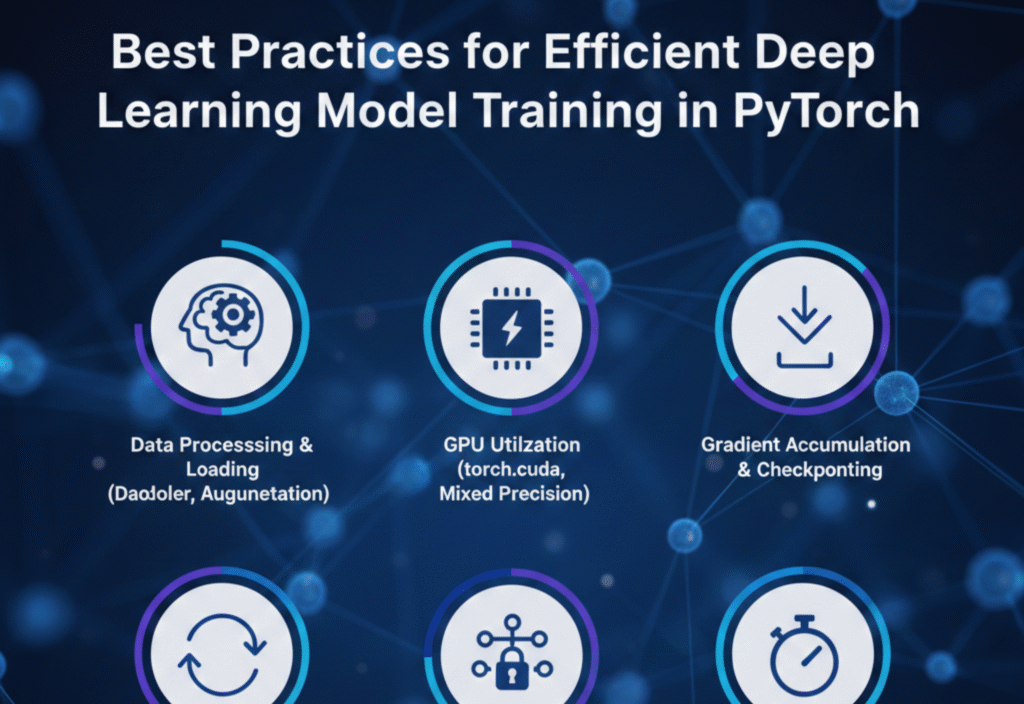
Efficient PyTorch training is essential for building high-performance deep learning models while saving time and computational resources. As models grow larger and datasets become more complex, inefficient training can lead to slow experiments, high costs, and poor scalability. By following proven strategies for efficient PyTorch training, developers and researchers can speed up model convergence, optimize hardware usage, and achieve better results with fewer resources.
1. Choose the Right Model Architecture
Efficient training begins with selecting an appropriate model architecture. Larger and more complex models are not always better. Overly deep or wide networks can lead to unnecessary computation, higher memory usage, and slower training.
Best practices:
Start with a simpler baseline model and increase complexity only if needed.
Use well-established architectures (ResNet, EfficientNet, Transformer variants) when applicable.
Prefer architectures designed for efficiency, such as MobileNet or EfficientNet, for resource-constrained environments.
Choosing the right architecture early can significantly reduce training time and improve convergence.
2. Optimize Data Loading and Preprocessing
Data loading is often a hidden bottleneck in deep learning pipelines. Even a well-optimized model can train slowly if data loading is inefficient.
Key techniques:
Use
torch.utils.data.DataLoaderwith an appropriatebatch_size.Enable multiprocessing with
num_workers > 0to load data in parallel.Use
pin_memory=Truewhen training on GPUs to speed up data transfer.Apply data preprocessing and augmentation efficiently, avoiding unnecessary operations inside the training loop.
Efficient data pipelines ensure your GPU stays busy instead of waiting for data.
3. Use Appropriate Batch Sizes
Batch size directly affects training speed, memory usage, and model generalization.
Guidelines:
Use the largest batch size that fits in GPU memory to maximize hardware utilization.
If memory is limited, consider gradient accumulation to simulate larger batch sizes.
Monitor validation performance, as extremely large batch sizes can negatively impact generalization.
Finding the right balance between speed and performance is critical.
4. Leverage GPU and Hardware Acceleration
PyTorch provides excellent support for GPUs and hardware acceleration, but it must be used correctly.
Best practices:
Always move models and tensors to the GPU using
.to(device).Check GPU utilization to ensure hardware resources are fully used.
Use multiple GPUs with
DataParallelorDistributedDataParallelfor large-scale training.Prefer
DistributedDataParallelfor better performance and scalability.
Efficient hardware utilization can reduce training time dramatically.
5. Use Mixed Precision Training
Mixed precision training combines 16-bit and 32-bit floating-point operations to speed up training and reduce memory usage.
Advantages:
Faster computation on modern GPUs.
Reduced memory consumption, allowing larger models or batch sizes.
Minimal impact on model accuracy when implemented correctly.
PyTorch’s torch.cuda.amp module makes mixed precision training easy and safe, and it is now considered a standard practice for efficient training.
6. Choose the Right Optimizer and Learning Rate
The optimizer and learning rate strategy play a major role in training efficiency and convergence.
Recommendations:
Use optimizers like AdamW or SGD with momentum depending on the task.
Apply learning rate schedulers (StepLR, CosineAnnealingLR, OneCycleLR) to improve convergence.
Use learning rate warm-up for large models or large batch sizes.
A well-tuned optimizer can reach better results in fewer epochs.
7. Reduce Unnecessary Computation
Small inefficiencies can accumulate and slow down training.
Best practices:
Avoid redundant calculations inside the training loop.
Use
model.eval()andtorch.no_grad()during validation to reduce memory usage.Disable gradients for frozen layers using
requires_grad = False.Remove unnecessary logging or debugging operations during full training runs.
Clean and efficient code improves both speed and readability.
8. Monitor Training and Detect Issues Early
Efficient training is not just about speed—it’s also about avoiding wasted computation.
Key actions:
Track training and validation loss regularly.
Monitor metrics like accuracy, precision, or F1-score.
Use tools like TensorBoard or similar logging frameworks.
Stop training early using early stopping if performance plateaus or degrades.
Early detection of issues prevents unnecessary long training runs.
9. Save and Load Models Efficiently
Model checkpointing is essential, but it should be done wisely.
Tips:
Save only necessary components (model state dict, optimizer state).
Avoid saving checkpoints too frequently.
Resume training from checkpoints instead of restarting from scratch.
Efficient checkpointing saves both time and storage.
10. Profile and Benchmark Your Code
Profiling helps identify bottlenecks that are not obvious.
Use PyTorch tools such as:
torch.profilerto analyze CPU and GPU usage.Timing individual steps of the training loop.
Monitoring memory consumption to prevent out-of-memory errors.
Optimization should always be data-driven, not based on guesswork.
Conclusion
Efficient deep learning model training in PyTorch is a combination of smart architectural choices, optimized data pipelines, proper hardware utilization, and disciplined coding practices. By following these best practices, you can significantly reduce training time, improve model performance, and make better use of computational resources.