
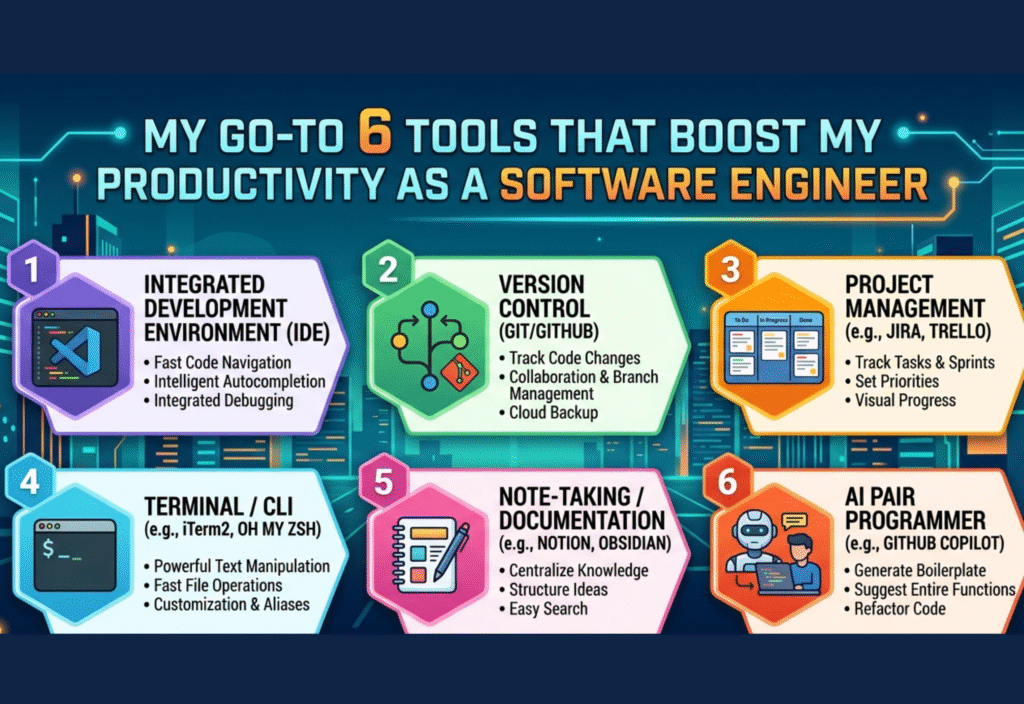
Software Engineer Productivity Tools are essential for improving efficiency, managing tasks, and writing better code. As a developer, using the right productivity tools helps streamline workflows, reduce errors, and save time.
Over time, I have explored many tools, but a few have consistently helped me stay organized, focused, and productive. These tools not only speed up my workflow but also reduce errors and make complex tasks easier to handle.
In this article, I will share six essential tools that play a key role in boosting my productivity as a software engineer and explain how they can improve your workflow as well.
1. Visual Studio Code for Efficient Development
Visual Studio Code is one of the most powerful and widely used code editors among developers. Its speed, simplicity, and flexibility make it an essential tool for coding.
It provides features like IntelliSense, which offers intelligent code suggestions, and syntax highlighting, which improves readability. These features help reduce mistakes and make coding faster.
One of the biggest advantages of Visual Studio Code is its extensive extension marketplace. Developers can install tools for debugging, formatting, linting, and more, customizing their environment according to their needs.
For example, extensions like Prettier ensure consistent code formatting, while Git integration allows developers to manage version control directly within the editor.
With the right setup, Visual Studio Code becomes a complete development environment that significantly improves productivity.
2. Git and GitHub for Version Control and Collaboration
Version control is an essential part of modern software development. Git allows developers to track changes in their code, collaborate with others, and maintain a history of their work.
GitHub provides a platform to host Git repositories and collaborate with teams. It makes it easier to share code, manage projects, and review changes.
Using Git, developers can create branches to work on new features without affecting the main codebase. This ensures that experiments and changes do not break existing functionality.
GitHub also enables collaboration through pull requests, allowing team members to review and discuss code before merging it. This improves code quality and reduces errors.
Without Git and GitHub, managing large projects would be extremely difficult and error-prone.
3. Docker for Environment Management
One of the most common challenges in software development is ensuring that applications work consistently across different environments. Differences in configurations, dependencies, and operating systems can lead to unexpected issues.
Docker solves this problem by allowing developers to create containers that include everything needed to run an application. These containers ensure that the application behaves the same way in development, testing, and production environments.
This eliminates the common problem of “it works on my machine” and simplifies deployment processes.
Docker is especially useful for complex applications that involve multiple services. Developers can containerize each service and manage them independently.
By using Docker, teams can improve consistency, reduce setup time, and focus more on building features rather than fixing environment issues.
4. Postman for API Testing and Development
APIs are a critical part of modern applications, and testing them effectively is essential for building reliable systems.
Postman is a tool that simplifies API testing by allowing developers to send requests and analyze responses easily.
With Postman, you can test different endpoints, check status codes, and verify responses without writing additional code. This makes debugging much faster and more efficient.
Postman also allows you to organize requests into collections, which is helpful when working on large projects with multiple APIs.
Another useful feature is automation. Developers can write test scripts to automatically validate API responses, ensuring consistency and reliability.
Using Postman helps identify issues early in the development process and improves overall API quality.
5. Notion for Organization and Documentation
Staying organized is crucial for maintaining productivity, especially when working on multiple projects. Notion is an all-in-one tool that helps manage tasks, notes, and documentation in one place.
It allows developers to create to-do lists, track progress, and document important information in a structured way.
One of the main advantages of Notion is its flexibility. You can create pages, databases, and templates tailored to your workflow.
For example, developers can use Notion to track bugs, plan features, document APIs, or maintain project notes.
By keeping everything in one place, Notion reduces the need to switch between multiple tools, helping improve focus and efficiency.
6. Slack for Team Communication
Effective communication is essential when working in a team environment. Slack is a widely used communication tool that helps teams collaborate efficiently.
It allows real-time messaging, file sharing, and organized discussions through channels. This makes it easy to keep conversations structured and relevant.
Slack also integrates with other tools like GitHub and Notion, allowing teams to receive updates directly within the platform.
This integration helps developers stay informed about project changes without constantly checking multiple platforms.
Slack reduces reliance on email and makes communication faster and more efficient, improving overall teamwork.
How These Tools Improve Productivity
Each of these tools plays a specific role in improving productivity. When used together, they create a powerful workflow that enhances efficiency.
Visual Studio Code helps write clean and efficient code. Git and GitHub manage version control and collaboration. Docker ensures consistency across environments. Postman improves API testing. Notion helps with organization and planning. Slack enhances communication.
Together, these tools reduce repetitive tasks, improve organization, and allow developers to focus on solving real problems.
Best Practices for Using Developer Tools
Using tools effectively is just as important as choosing the right tools.
Customize your development environment to match your workflow. Use shortcuts, themes, and extensions to improve efficiency.
Automate repetitive tasks whenever possible. Automation saves time and reduces the chance of errors.
Keep your workspace organized. A clean and structured environment improves focus.
Stay updated with new features and improvements in your tools. Continuous learning helps you stay efficient and competitive.
Avoid overloading yourself with too many tools. Focus on a few powerful tools and master them.
Common Mistakes to Avoid
Many developers fail to maximize productivity due to common mistakes.
Using too many tools without understanding their purpose can create confusion.
Ignoring important features and using only basic functionality limits efficiency.
Not maintaining proper organization can lead to messy workflows and wasted time.
Avoiding version control or using it incorrectly can result in serious issues in team environments.
By avoiding these mistakes, you can significantly improve your productivity and workflow.
Conclusion
Productivity in software engineering is about working smarter, not harder. The right tools can make a significant difference in how efficiently you work.
Visual Studio Code, Git and GitHub, Docker, Postman, Notion, and Slack are powerful tools that help streamline development, improve collaboration, and enhance organization.
By integrating these tools into your workflow and using them effectively, you can become more productive and efficient in your work.
Focus on continuous improvement, stay organized, and make the most of the tools available to you. This approach will help you grow as a software engineer and achieve better results in less time.

