
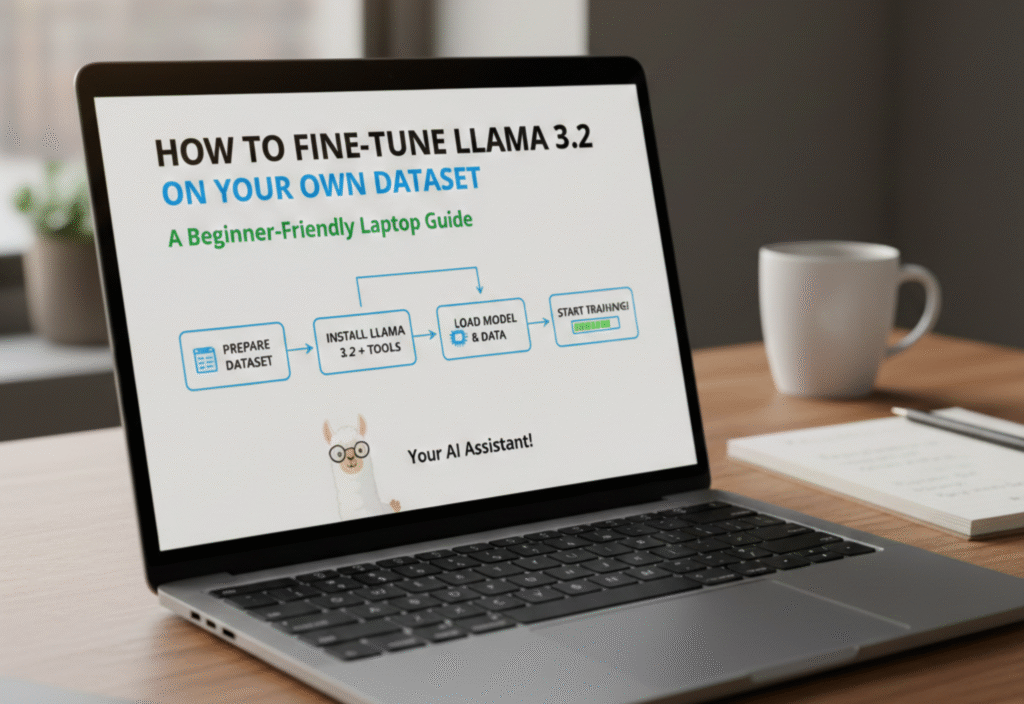
Artificial Intelligence (AI) is growing rapidly, and large language models (LLMs) like LLaMA 3.2 are becoming increasingly popular for natural language understanding and generation. Fine-tuning LLaMA 3.2 on your own dataset allows you to customize the model for specific tasks, industries, or personal projects. The best part? You can do this on a regular laptop with some planning, without requiring expensive cloud GPUs. This guide is beginner-friendly and designed for learners who want to get hands-on experience responsibly.
What Is LLaMA 3.2?
LLaMA 3.2 is an advanced open-source large language model developed by Meta AI. It is capable of understanding and generating text across various topics, making it versatile for research, applications, and personal AI projects. While pre-trained models perform well on general tasks, fine-tuning on your own dataset ensures the model aligns with your specific goals and domain language.
Why Fine-Tune LLaMA 3.2?
Fine-tuning has several benefits:
-
Specialized Knowledge: Train the model on niche datasets for industry-specific language, such as finance, healthcare, or tech.
-
Better Accuracy: Reduce errors and increase the relevance of AI outputs in your applications.
-
Custom Outputs: Align tone, style, or format according to your requirements.
-
Educational Value: Hands-on fine-tuning teaches practical AI skills, from data preparation to model optimization.
Preparing Your Laptop for Fine-Tuning
Even on a laptop, you can fine-tune smaller LLaMA 3.2 models efficiently. Here’s what you need:
-
Hardware Requirements:
-
At least 16 GB RAM (32 GB recommended for larger datasets)
-
Modern CPU (Intel i5/i7 or AMD Ryzen)
-
Optional: A consumer GPU with at least 6 GB VRAM for faster training
-
-
Software Requirements:
-
Python 3.10 or newer
-
PyTorch library
-
Hugging Face Transformers library
-
Tokenizers (from Hugging Face)
-
Optional: LoRA (Low-Rank Adaptation) for efficient fine-tuning
-
Step 1: Prepare Your Dataset
Fine-tuning starts with a clean, well-structured dataset. Follow these steps:
-
Collect Data: Use text relevant to your domain, e.g., product reviews, technical articles, or custom dialogue.
-
Clean Data: Remove duplicates, irrelevant content, and formatting errors.
-
Format Data: Convert your dataset to a JSON or CSV file with a structure like:
{"prompt": "Explain AI in simple terms:", "completion": "AI is..."}
-
Split Data: Divide your data into training (80%) and validation (20%) sets to measure performance.
Step 2: Install and Load LLaMA 3.2
Install the necessary libraries:
pip install torch transformers datasets
Load the LLaMA 3.2 pre-trained model:
from transformers import AutoModelForCausalLM, AutoTokenizer
model_name = “meta-llama/LLaMA-3.2-small”
tokenizer = AutoTokenizer.from_pretrained(model_name)
model = AutoModelForCausalLM.from_pretrained(model_name)
Step 3: Tokenize Your Dataset
Tokenization converts your text into a format the model can understand:
from datasets import load_dataset
dataset = load_dataset(“json”, data_files={“train”: “train.json”, “validation”: “val.json”})
def tokenize_function(examples):
return tokenizer(examples[“prompt”], padding=”max_length”, truncation=True)
tokenized_dataset = dataset.map(tokenize_function, batched=True)
Step 4: Fine-Tune Using LoRA (Efficient Approach)
Fine-tuning the entire LLaMA 3.2 model can be resource-intensive. LoRA allows efficient fine-tuning:
pip install peft
from peft import LoraConfig, get_peft_model, TaskType
lora_config = LoraConfig(
task_type=TaskType.CAUSAL_LM,
r=8,
lora_alpha=16,
lora_dropout=0.05,
bias=”none”,
)
lora_model = get_peft_model(model, lora_config)
Train the model:
from transformers import Trainer, TrainingArguments
training_args = TrainingArguments(
output_dir=”./llama-finetuned”,
per_device_train_batch_size=2,
num_train_epochs=3,
save_steps=500,
save_total_limit=2,
logging_steps=100,
)
trainer = Trainer(
model=lora_model,
args=training_args,
train_dataset=tokenized_dataset[“train”],
eval_dataset=tokenized_dataset[“validation”]
)
trainer.train()
Step 5: Save and Test Your Fine-Tuned Model
After training, save your model for later use:
lora_model.save_pretrained("./llama-finetuned")
tokenizer.save_pretrained("./llama-finetuned")
Test your model with new prompts:
inputs = tokenizer("Explain quantum computing in simple terms:", return_tensors="pt")
outputs = lora_model.generate(**inputs, max_new_tokens=150)
print(tokenizer.decode(outputs[0], skip_special_tokens=True))
Tips for Beginner-Friendly Fine-Tuning
-
Start Small: Use smaller LLaMA 3.2 models before attempting large-scale models.
-
Use Subsets: Work with a smaller dataset to understand the workflow first.
-
Monitor Resources: Laptop memory and CPU usage can be a bottleneck.
-
Experiment: Try different learning rates, batch sizes, and token lengths.
-
Keep It Ethical: Do not fine-tune for harmful, offensive, or misleading content.
Advantages of Fine-Tuning LLaMA 3.2 on a Laptop
-
Hands-on learning without relying on cloud GPUs
-
Full control over your dataset and model outputs
-
Cost-effective and accessible for beginners
-
Opportunity to understand AI workflows deeply
Potential Challenges
-
Hardware limitations may slow down training
-
Large datasets require careful batching
-
Fine-tuning is resource-intensive for bigger models
-
Monitoring and debugging training may require patience
Conclusion
Fine-tuning LLaMA 3.2 on your own dataset is a highly rewarding way to customize AI for your needs. With a laptop, a small dataset, and beginner-friendly tools like Hugging Face Transformers and LoRA, anyone can start building specialized language models responsibly. By following these steps, you gain practical AI skills, understand model behavior, and create outputs that are relevant, accurate, and ethical.
