
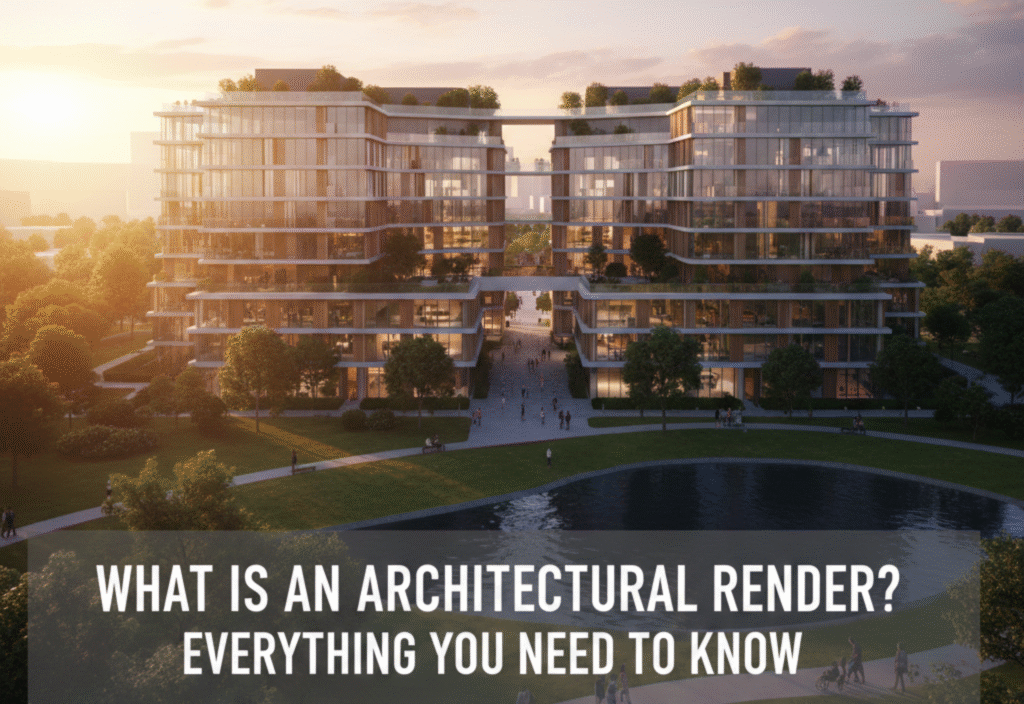
In today’s modern construction and real estate industries, visualization plays a crucial role in turning ideas into reality. Before a single brick is laid, architects, designers, and clients want to clearly understand how a building or space will look and feel. This is where architectural rendering becomes essential. An architectural render transforms technical drawings and concepts into realistic visual images that help communicate design ideas effectively.
What Is an Architectural Render?
An architectural render is a digital or artistic visual representation of a building, structure, or interior space created before construction begins. It shows how a project will look in real life by using colors, textures, lighting, materials, furniture, landscaping, and surroundings.
Architectural renders are usually created using 3D modeling and rendering software, turning flat architectural drawings (such as floor plans and elevations) into lifelike images. These renders can be photorealistic or conceptual, depending on the project’s purpose.
Purpose of Architectural Rendering
Architectural rendering serves several important purposes:
-
Helps clients visualize the final design
-
Improves communication between architects, designers, and stakeholders
-
Assists in design decision-making
-
Enhances marketing and presentations
-
Reduces misunderstandings and costly changes during construction
By showing a realistic preview, architectural renders bridge the gap between imagination and reality.
Types of Architectural Renders
1. Exterior Architectural Render
Exterior renders showcase the outside appearance of a building. They include elements such as:
-
Building materials
-
Facades and textures
-
Landscaping and greenery
-
Sky, sunlight, and shadows
-
People, cars, and surroundings
Exterior renders are commonly used for real estate marketing, approvals, and investor presentations.
2. Interior Architectural Render
Interior renders focus on indoor spaces such as:
-
Living rooms, kitchens, bedrooms
-
Offices, hotels, and commercial interiors
-
Furniture, lighting, décor, and finishes
These renders help clients understand space layout, design style, and ambiance before construction or renovation.
3. 3D Floor Plan Render
A 3D floor plan render provides a top-down view of a building with realistic depth and textures. It helps viewers understand:
-
Room sizes
-
Furniture placement
-
Flow of movement
This type is especially useful for property listings and real estate websites.
4. Conceptual or Artistic Render
Conceptual renders are less realistic and more artistic. They focus on:
-
Design ideas
-
Mood and atmosphere
-
Creative vision
These are often used in early design stages or competitions.
5. Virtual Reality (VR) and 360° Renders
Advanced architectural rendering includes:
-
360-degree panoramic views
-
Virtual walkthroughs
These allow users to explore spaces interactively, providing an immersive experience.
How Architectural Renders Are Created
The architectural rendering process usually follows these steps:
-
Collecting Information
Architects provide CAD drawings, sketches, floor plans, and material details. -
3D Modeling
A detailed 3D model of the building or space is created using specialized software. -
Applying Materials and Textures
Realistic materials like wood, glass, metal, and concrete are added. -
Lighting and Environment Setup
Natural or artificial lighting is applied to create realistic shadows and reflections. -
Rendering
The software generates high-quality images based on the model and settings. -
Post-Processing
Final adjustments are made using image-editing tools to enhance realism.
Software Used for Architectural Rendering
Some of the most popular tools include:
-
AutoCAD – For technical drawings
-
SketchUp – For quick 3D modeling
-
3ds Max + V-Ray / Corona – For high-end photorealistic renders
-
Blender – Free and powerful 3D rendering software
-
Lumion & Twinmotion – Real-time rendering and animations
-
Photoshop – Post-processing and enhancements
Benefits of Architectural Rendering
1. Better Visualization
Clients can clearly see how the project will look, reducing confusion.
2. Cost and Time Savings
Identifying design issues early prevents expensive changes later.
3. Strong Marketing Tool
High-quality renders attract buyers, investors, and tenants.
4. Improved Design Decisions
Design elements like lighting, colors, and materials can be tested visually.
5. Faster Approvals
Authorities and stakeholders understand the project more easily.
Architectural Rendering vs. Architectural Drawing
| Feature | Architectural Drawing | Architectural Render |
|---|---|---|
| Style | Technical & 2D | Visual & 3D |
| Audience | Professionals | Clients & investors |
| Purpose | Construction accuracy | Visualization & marketing |
| Realism | Low | High |
Both are important, but renders are far more effective for communication and presentation.
Industries That Use Architectural Rendering
Architectural rendering is widely used in:
-
Architecture and construction
-
Real estate and property development
-
Interior design
-
Urban planning
-
Hospitality (hotels and resorts)
-
Retail and commercial spaces
Future of Architectural Rendering
With advancements in AI, real-time rendering, and virtual reality, architectural visualization is becoming faster and more interactive. AI-powered tools can now generate design concepts, while real-time engines allow instant changes and walkthroughs.
The future points toward fully immersive, interactive, and highly realistic experiences.
Conclusion
Architectural rendering is a powerful tool that transforms ideas into visually compelling realities. It allows architects and designers to communicate their vision clearly, helps clients make informed decisions, and plays a vital role in marketing and project approval.
