
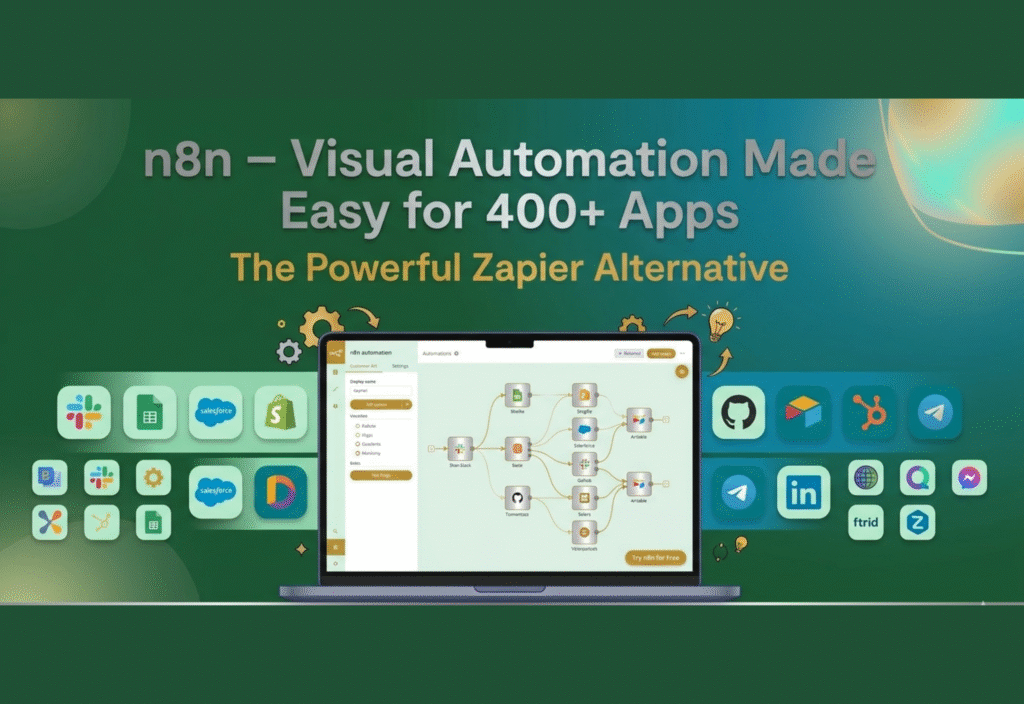
Automation has become a cornerstone of modern business operations, helping companies streamline repetitive tasks, reduce human error, and focus on strategic goals. Tools like Zapier have been widely popular for enabling non-technical users to automate workflows. However, as businesses and developers seek more flexibility, control, and scalability, alternatives like n8n are gaining traction.
n8n (pronounced “n-eight-n”) is an open-source workflow automation platform that allows users to visually create automated processes connecting multiple apps and services. With support for over 400 applications and the ability to self-host, n8n offers a unique combination of visual simplicity, advanced customization, and data privacy, making it a compelling alternative to Zapier.
This article dives deep into n8n’s features, workflow capabilities, advantages, limitations, and real-world applications, helping you decide whether it’s the right automation tool for your business.
What is n8n?
n8n is an open-source workflow automation tool designed for both developers and businesses. Unlike many traditional automation tools that limit flexibility or require paid subscriptions for advanced features, n8n allows users to create complex automation workflows using a visual, node-based interface.
Each “node” represents a step in the workflow—such as sending an email, updating a database, or making an API call—and can be connected to other nodes with logic, loops, and conditional statements. This makes n8n a powerful tool for automating processes that go beyond simple trigger-action tasks.
Key Features of n8n
Visual Workflow Builder: Drag-and-drop interface simplifies workflow creation without extensive coding.
400+ App Integrations: Connect popular apps like Gmail, Slack, Google Sheets, Airtable, Trello, and many more.
Open-Source & Self-Hosted: Users can host n8n on their own servers, ensuring data privacy and full control.
Conditional Logic: Enables branching workflows using if-else statements, loops, and filters.
Customizable & Code-Friendly: Supports JavaScript functions and API requests for highly customized tasks.
Execution Monitoring: Logs, error handling, and real-time workflow monitoring for reliability.
Why n8n is a Zapier Alternative
While Zapier is widely recognized for ease of use, n8n differentiates itself in several ways:
1. Open-Source Flexibility
Being open-source, n8n allows users to:
Self-host workflows on private servers.
Customize workflows beyond the limits of prebuilt templates.
Ensure full control over sensitive business data.
In contrast, Zapier is proprietary, and users rely on cloud hosting and subscription tiers.
2. Advanced Workflow Capabilities
n8n supports more sophisticated workflows than Zapier’s typical trigger-action model:
Conditional branching: Execute different actions based on specific conditions.
Loops: Automate repetitive tasks within a single workflow.
Multiple triggers: Initiate workflows from several sources simultaneously.
3. Cost-Effective Automation
n8n’s self-hosted version is completely free, even for complex workflows.
Zapier’s free plan has limitations on tasks and app integrations, and paid plans can become costly.
4. Custom Integrations and API Support
n8n allows developers to create workflows for apps not officially supported by prebuilt nodes using API requests or custom JavaScript. This flexibility makes it ideal for businesses with unique software stacks.
How n8n Works
Creating workflows in n8n is both intuitive and powerful:
Select a Trigger: Start your workflow with an event like receiving an email, updating a spreadsheet, or posting in Slack.
Add Nodes: Each node represents an action—sending notifications, updating a database, or performing calculations.
Add Logic: Use conditional statements, loops, or filters to manage complex workflow paths.
Test and Execute: Run workflows in real-time and monitor for errors or performance issues.
Optimize: Modify, duplicate, or expand workflows as needed without affecting ongoing automation.
This approach allows both technical and non-technical users to visualize, manage, and optimize automation workflows efficiently.
Real-World Applications of n8n
n8n is versatile and can be applied across multiple industries:
1. Marketing Automation
Send personalized email campaigns triggered by website activity.
Update CRM systems automatically when new leads are captured.
Monitor social media mentions and trigger alerts to marketing teams.
2. Sales Operations
Sync leads across Google Sheets, Salesforce, and other platforms.
Generate automated sales reports or dashboards.
Notify sales teams of high-priority opportunities in real-time.
3. IT & DevOps
Automate server maintenance or monitoring tasks.
Track system logs and trigger alerts for errors or failures.
Schedule backups for databases and critical files.
4. E-Commerce
Sync inventory, orders, and shipping information across platforms.
Notify customers automatically about order status updates.
Automate accounting, invoicing, and reporting processes.
5. Human Resources
Automate employee onboarding tasks, like sending welcome emails and setting up accounts.
Sync HR databases with other internal tools.
Track employee performance metrics and generate automated reports.
Advantages of Using n8n
Full Data Control: Self-hosting ensures complete privacy and security.
Visual Interface: Drag-and-drop workflow builder makes it easy to understand and maintain processes.
Scalability: Can handle small businesses and enterprise-level workflows.
Extensive Integration Options: Supports 400+ apps, plus custom APIs.
Community Support: Active contributors provide new nodes, templates, and workflow examples.
Cost Savings: Free self-hosted solution reduces dependency on subscription-based platforms.
Limitations of n8n
Learning Curve: Advanced workflows require some technical knowledge, especially when using JavaScript or APIs.
Hosting Responsibility: Self-hosting requires server setup, maintenance, and security management.
Workflow Complexity: Large workflows with many nodes can become visually complex. Careful organization is needed.
Fewer Prebuilt Integrations than Zapier: Zapier has 5000+ apps, while n8n has 400+ nodes, though custom API integration helps fill gaps.
n8n vs Zapier: Feature Comparison
| Feature | n8n | Zapier |
|---|---|---|
| Pricing | Free (self-hosted), Paid cloud | Free limited, Paid plans |
| Open-Source | Yes | No |
| Number of App Integrations | 400+ | 5000+ |
| Workflow Complexity | Advanced (loops, branching) | Moderate |
| Custom API Support | Yes | Limited |
| Hosting | Self-hosted or Cloud | Cloud only |
| Ideal for | Developers, Tech-Savvy Teams | Non-Technical Users |
Summary:
n8n is better for developers and businesses prioritizing flexibility, data control, and complex automation.
Zapier is better for quick setup, simplicity, and a wider library of prebuilt integrations.
Security and Privacy Considerations
Because n8n allows self-hosting:
Businesses can store workflows and sensitive data on their own servers.
GDPR and privacy compliance is easier to manage.
Security updates depend on the host, so regular maintenance is important.
Conclusion
n8n offers a powerful, flexible, and cost-effective alternative to Zapier, especially for businesses and developers who want full control over their automation processes. Its visual workflow builder, support for 400+ apps, conditional logic, and open-source nature make it ideal for complex workflows and custom integrations.
Whether you are a startup, a growing business, or a tech-savvy developer, n8n can simplify automation, save time, and increase operational efficiency, all while keeping your data secure and under your control.
With n8n, you get the best of both worlds: visual simplicity for quick workflows and the flexibility for complex automation tailored to your business needs.

