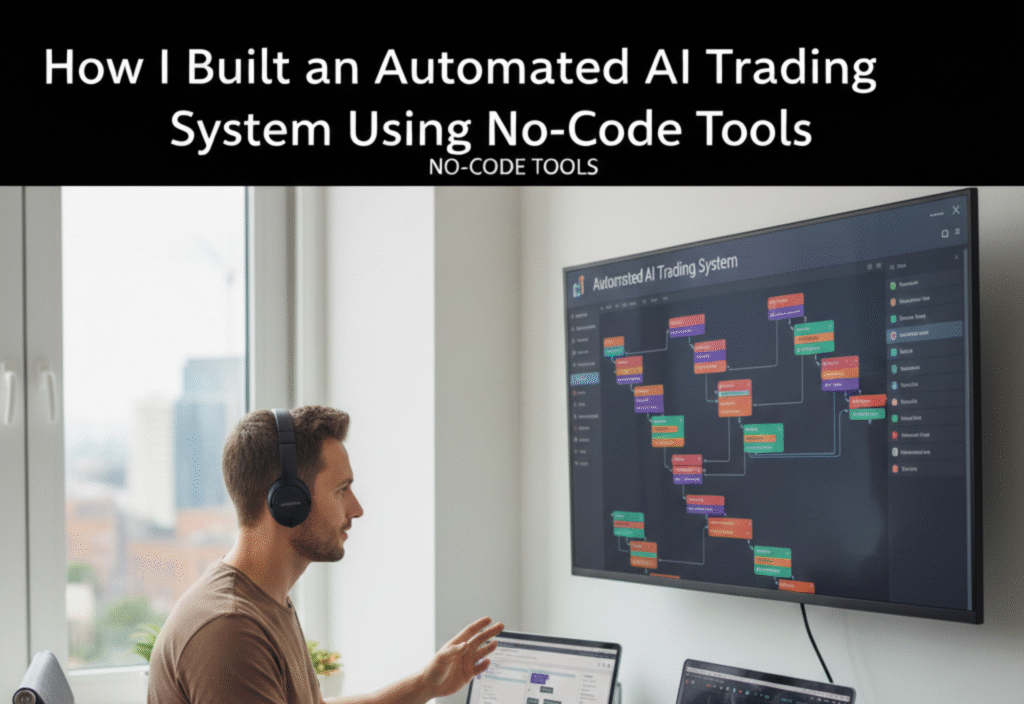
In today’s fast-paced financial markets, staying ahead requires more than intuition—it requires automation, precision, and speed. Traditionally, building an algorithmic trading system demanded deep programming knowledge, access to data feeds, and hours of coding. But thanks to no-code tools and AI-powered platforms, even non-developers can now build automated trading systems. In this article, I’ll share my journey of creating an AI trading system using entirely no-code tools, and how you can do the same.
Why Automate Trading?
Manual trading has its challenges: emotional decision-making, missed opportunities, and time constraints. Even experienced traders can struggle to monitor multiple markets simultaneously. Automation solves these issues by:
-
Reducing human error: Trading decisions are made based on data-driven signals, eliminating emotional biases.
-
Saving time: The system continuously scans markets and executes trades 24/7.
-
Backtesting strategies: AI can simulate trading strategies against historical data to find the most profitable approach.
-
Scaling easily: Once set up, an automated system can manage multiple accounts or instruments simultaneously.
With these advantages, I decided to explore no-code tools that could simplify the process without needing to write thousands of lines of code.
Step 1: Choosing the Right No-Code Platform
There are many no-code and low-code platforms available, but not all are suitable for financial markets. I focused on platforms that support:
-
API integrations with brokers and data sources
-
Real-time data handling
-
Automation workflows and triggers
-
AI or machine learning components
Some tools that stood out were n8n, Zapier, Pipedream, and Bubble. Each of these allows users to create complex workflows without writing traditional code. For AI components, I integrated OpenAI’s GPT models and AI prediction engines that could analyze market patterns and generate trading signals.
Step 2: Gathering and Integrating Market Data
Data is the foundation of any trading system. I connected my system to:
-
Broker APIs (for live market data and trade execution)
-
Financial data providers (for historical data to backtest strategies)
-
News and social sentiment feeds (to gauge market mood)
Using no-code tools, I set up automated pipelines that fetch this data in real time. For example, I used n8n to pull price data every minute and store it in a Google Sheet and a database for analysis.
Step 3: Designing the AI Trading Logic
With data flowing in, the next step was designing trading rules. Instead of coding strategies manually, I used AI models to generate signals based on:
-
Price trends
-
Moving averages
-
Market volatility
-
News sentiment
I trained a simple AI model on historical price patterns using a no-code AI platform. The model predicts whether a stock or cryptocurrency is likely to rise or fall within a short timeframe. These predictions then trigger buy or sell actions automatically.
Step 4: Automating Trade Execution
Automation is useless without seamless trade execution. Using broker APIs, I created workflows that:
-
Receive signals from the AI model
-
Validate conditions (e.g., account balance, risk limits)
-
Execute trades automatically
No-code tools like Zapier and n8n make this step simple by connecting APIs and setting up conditional logic. I also implemented safety measures, such as maximum trade size and stop-loss rules, to minimize risks.
Step 5: Backtesting and Optimization
Before going live, I needed to ensure the system was profitable. Backtesting involves running your strategy against historical data to simulate performance. Using no-code platforms, I created a backtesting workflow that:
-
Simulates trades using historical price data
-
Tracks profits, losses, and key metrics
-
Identifies which strategies perform best under different market conditions
I iterated multiple strategies, adjusting parameters like moving average lengths and AI confidence thresholds. Over time, this allowed me to fine-tune the system for better results.
Step 6: Monitoring and Maintenance
Even fully automated systems need monitoring. I set up:
-
Alerts for failed trades or system errors
-
Dashboards to track performance in real-time
-
Periodic model retraining using the latest market data
No-code tools simplify monitoring by sending notifications via email, Slack, or SMS when attention is needed. This ensures I can focus on refining strategies rather than constantly watching the market.
Step 7: Lessons Learned
Building an automated AI trading system without coding taught me several key lessons:
-
Start simple: Begin with a single market and simple strategies before expanding.
-
Data quality matters: AI models are only as good as the data you feed them.
-
Automation is not “set and forget”: Markets evolve, and models need regular updating.
-
Risk management is crucial: Even the best AI cannot predict black swan events.
Conclusion
No-code tools and AI have democratized algorithmic trading. Today, anyone with curiosity and discipline can build systems that were once the exclusive domain of programmers and financial engineers. By combining market data, AI prediction, and workflow automation, I created a trading system that works around the clock, freeing me from manual trading and allowing me to focus on strategy refinement.