
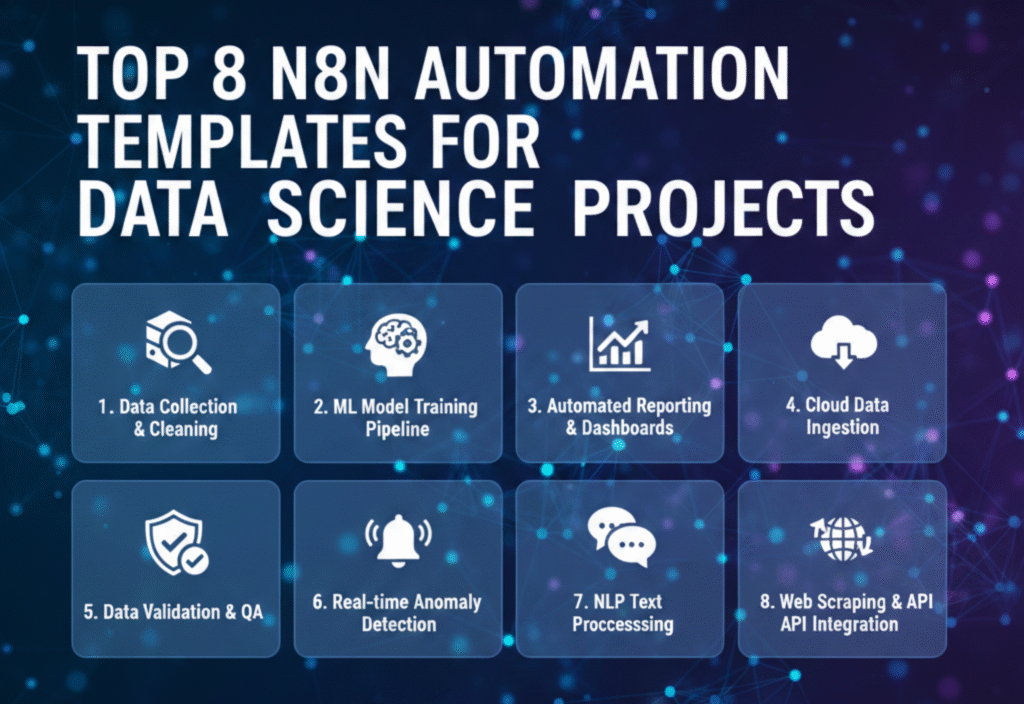
In today’s data-driven world, managing workflows manually can be time-consuming and error-prone. n8n, an open-source workflow automation tool, has emerged as a game-changer for data scientists, analysts, and engineers. With its intuitive interface and extensive integration capabilities, n8n allows you to automate repetitive tasks, streamline data pipelines, and improve overall productivity.
One of the most powerful features of n8n is its automation templates, which provide ready-made workflows that can be easily customized for specific use cases. For data science projects, these templates help save time, reduce complexity, and maintain consistency across all tasks. In this article, we explore the top n8n automation templates designed specifically for data science projects and show how they can enhance your workflow.
What Is n8n and Why Use It for Data Science?
n8n is a fair-code licensed automation platform that allows you to connect various apps, APIs, and databases to create automated workflows. Unlike traditional automation tools, n8n offers:
-
Flexibility: You can self-host or use the cloud version.
-
Customizability: Every node can be modified to suit project needs.
-
Extensive integrations: n8n supports hundreds of apps, APIs, and databases.
-
Open-source advantage: Full control over workflows without vendor lock-in.
For data scientists, n8n is particularly useful because it can automate repetitive tasks such as data cleaning, model deployment, reporting, and notifications. By leveraging automation templates, you can implement complex workflows without starting from scratch.
Benefits of Using n8n Automation Templates in Data Science
-
Time Efficiency: Prebuilt templates reduce setup time.
-
Consistency: Ensures standardized processes across projects.
-
Error Reduction: Minimizes manual errors during repetitive tasks.
-
Rapid Prototyping: Quickly test new workflows before scaling.
-
Collaboration: Teams can share templates for faster onboarding.
Top n8n Automation Templates for Data Science Projects
1. Data Extraction and Preprocessing Template
Purpose: Automate the collection of raw data from multiple sources and prepare it for analysis.
How It Works:
-
Pull data from APIs, databases, or CSV files.
-
Apply data cleaning operations such as removing null values or duplicates.
-
Transform datasets into a usable format for analysis.
Use Case:
Ideal for machine learning projects that require consistent and structured input data.
2. Automated Data Analysis Template
Purpose: Perform basic statistical analysis and generate reports automatically.
How It Works:
-
Fetch datasets from internal or external sources.
-
Calculate metrics such as mean, median, standard deviation, or correlation.
-
Export results to Google Sheets, dashboards, or visualization tools.
Use Case:
Perfect for recurring reports or exploratory data analysis (EDA) tasks.
3. Machine Learning Model Training Template
Purpose: Streamline the process of training and updating machine learning models.
How It Works:
-
Pull training data automatically from data sources.
-
Trigger model training scripts via Python or other supported nodes.
-
Save trained models to a storage system for deployment.
Use Case:
Useful for AI pipelines that require frequent retraining with new data.
4. Model Deployment and Monitoring Template
Purpose: Automate the deployment and monitoring of machine learning models.
How It Works:
-
Deploy models to production servers or cloud platforms.
-
Monitor performance metrics such as accuracy or latency.
-
Send notifications if the model performance falls below a threshold.
Use Case:
Ensures that models remain reliable in production without manual intervention.
5. Data Visualization and Dashboard Automation Template
Purpose: Automatically generate visual reports and dashboards from processed data.
How It Works:
-
Extract processed data from databases or CSVs.
-
Create charts, graphs, and dashboards using tools like Google Data Studio or Tableau.
-
Share results with stakeholders via email or Slack notifications.
Use Case:
Ideal for project updates, executive dashboards, and team collaboration.
6. Data Pipeline Monitoring Template
Purpose: Keep track of automated workflows and data pipelines for reliability.
How It Works:
-
Log all workflow executions.
-
Monitor failures or delays.
-
Trigger alerts and remediation steps automatically.
Use Case:
Essential for production-grade data pipelines to ensure uninterrupted operations.
7. Automated Data Backup and Archiving Template
Purpose: Securely back up and archive datasets on a regular schedule.
How It Works:
-
Fetch data from databases, APIs, or storage systems.
-
Compress and encrypt data if needed.
-
Upload to cloud storage or internal servers automatically.
Use Case:
Protects data integrity and enables compliance with regulations.
How to Customize n8n Templates for Your Projects
-
Identify your workflow needs: Understand your data sources, processing steps, and endpoints.
-
Select a relevant template: Choose a template that aligns with your workflow goals.
-
Modify nodes as needed: Adjust API calls, scripts, and triggers.
-
Test the workflow: Run sample data to ensure accuracy.
-
Deploy and monitor: Automate fully and track execution for errors.
Tips for Maximizing n8n Automation Templates
-
Use environment variables for credentials and sensitive data.
-
Schedule workflows to run at optimal times for data freshness.
-
Combine multiple templates for complex end-to-end pipelines.
-
Document workflows for team collaboration and future reference.
-
Regularly update templates to match evolving project requirements.
Conclusion
n8n automation templates are a powerful resource for data scientists looking to streamline workflows, improve productivity, and reduce errors. From basic data extraction to advanced model deployment, these templates provide a solid foundation for building robust data pipelines. By leveraging prebuilt workflows and customizing them for specific needs, teams can focus more on insights and innovation rather than repetitive tasks.
